> ## Documentation Index
> Fetch the complete documentation index at: https://docs.sx.bet/llms.txt
> Use this file to discover all available pages before exploring further.
# Deposit With Interac e-Transfer
> Learn how to deposit USDC on SX Bet using Interac e-Transfer.
1. Click "Deposit", then select "Interac", then enter the amount of USDC you want to purchase and click continue on PayTrie.
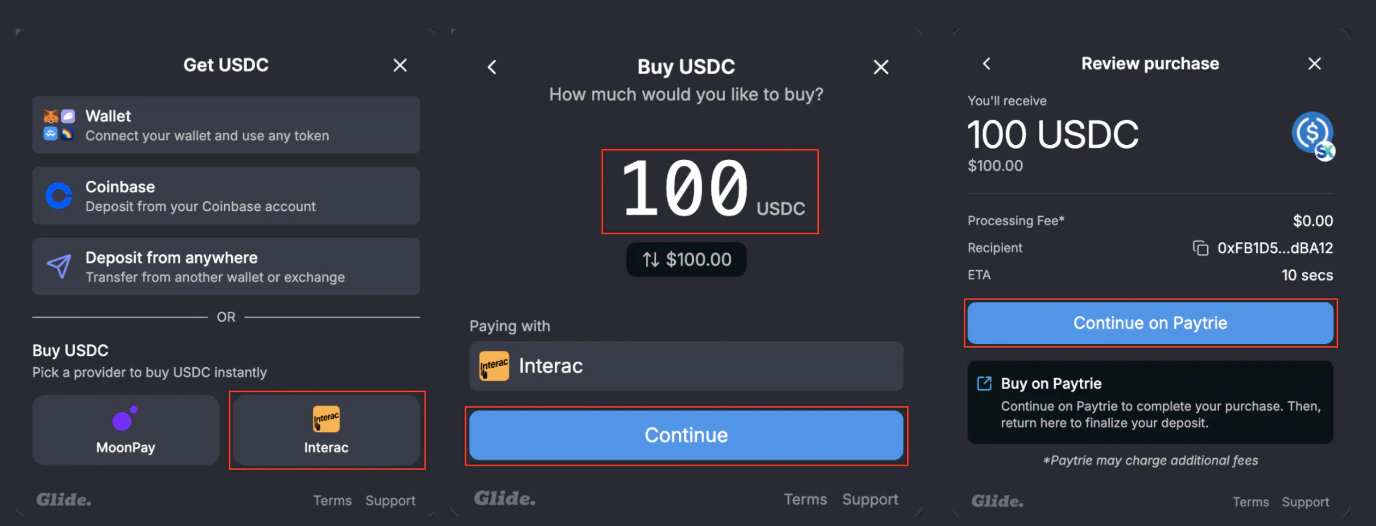 2. Click "Buy", then proceed to login to your [PayTrie](https://paytrie.com/) account, or create one.
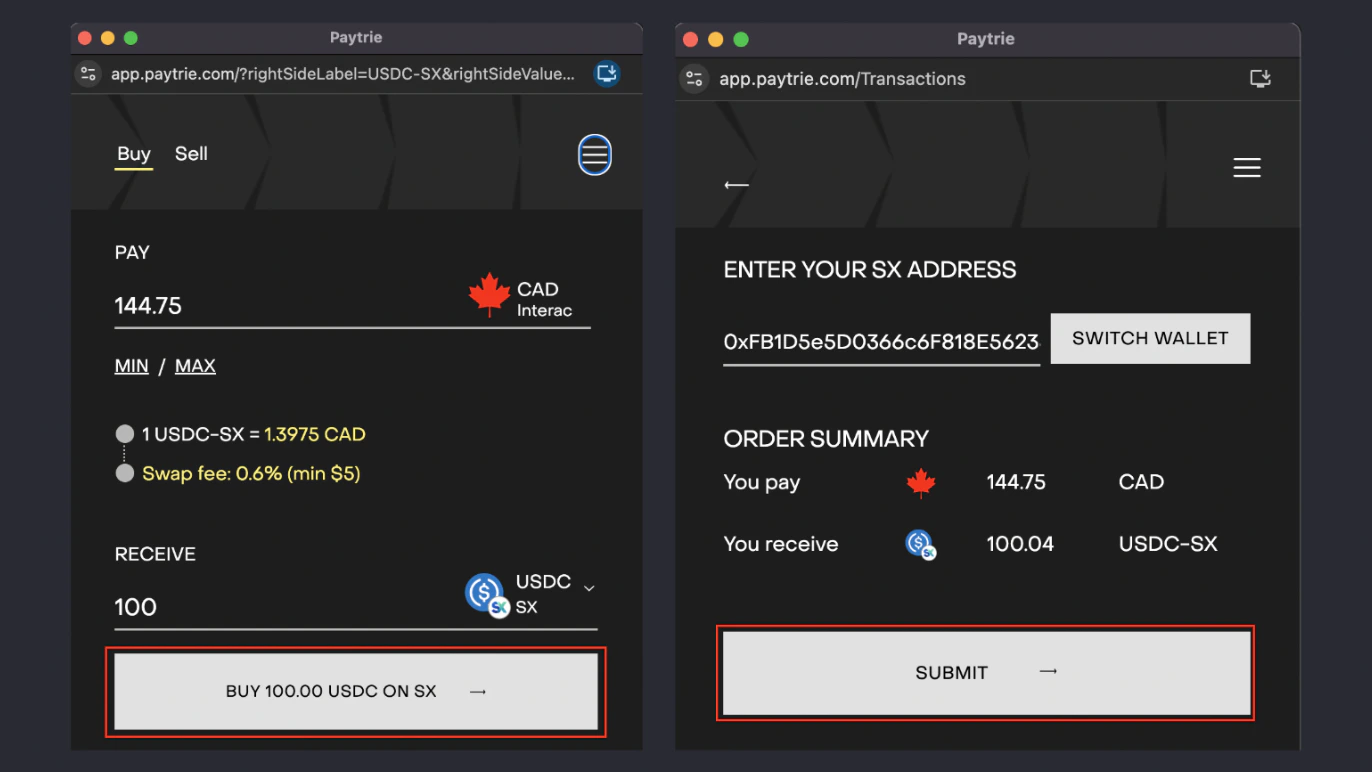 3. Click submit, then check your email inbox for a Request Money Transfer email from Interac and confirm.
4. Once you've confirmed the transaction, you will get an email notification when PayTrie accepts the funds and the USDC is in your account. This can take up to 60 minutes.
Bet at the best available odds and get matched instantly.
Learn how to find odds and navigate the live order book.
3. Click submit, then check your email inbox for a Request Money Transfer email from Interac and confirm.
4. Once you've confirmed the transaction, you will get an email notification when PayTrie accepts the funds and the USDC is in your account. This can take up to 60 minutes.
Bet at the best available odds and get matched instantly.
Learn how to find odds and navigate the live order book.