> ## Documentation Index
> Fetch the complete documentation index at: https://docs.sx.bet/llms.txt
> Use this file to discover all available pages before exploring further.
# Large Withdrawals
> Use the Arbitrum Native Bridge to save on fees for large withdrawals.
While the [Glide bridge](https://sx.bet/wallet/bridge) offers no-fee deposits, withdrawals are subject to a 0.33% fee. The [Native Bridge](https://portal.arbitrum.io/bridge?destinationChain=ethereum\&sanitized=true\&sourceChain=sx\&token=0xa0b86991c6218b36c1d19d4a2e9eb0ce3606eb48) facilitates USDC transfers between SX Bet and Ethereum. Users pay a small gas fee on each blockchain and must wait **12 hours** for their transfer to complete, but pay significantly lower fees overall on large transfers.
***
To withdraw through the native bridge, you must be using a browser-based wallet (e.g. MetaMask). If you signed up for SX Bet with email, you can import your email wallet to MetaMask. Follow the tutorial here to [import your wallet to MetaMask](/user-guides/faq/export-wallet-metamask).
1. Go to the [Arbitrum Native Bridge](https://portal.arbitrum.io/bridge?destinationChain=ethereum\&sanitized=true\&sourceChain=sx\&token=0xa0b86991c6218b36c1d19d4a2e9eb0ce3606eb48).
2. Connect your wallet.
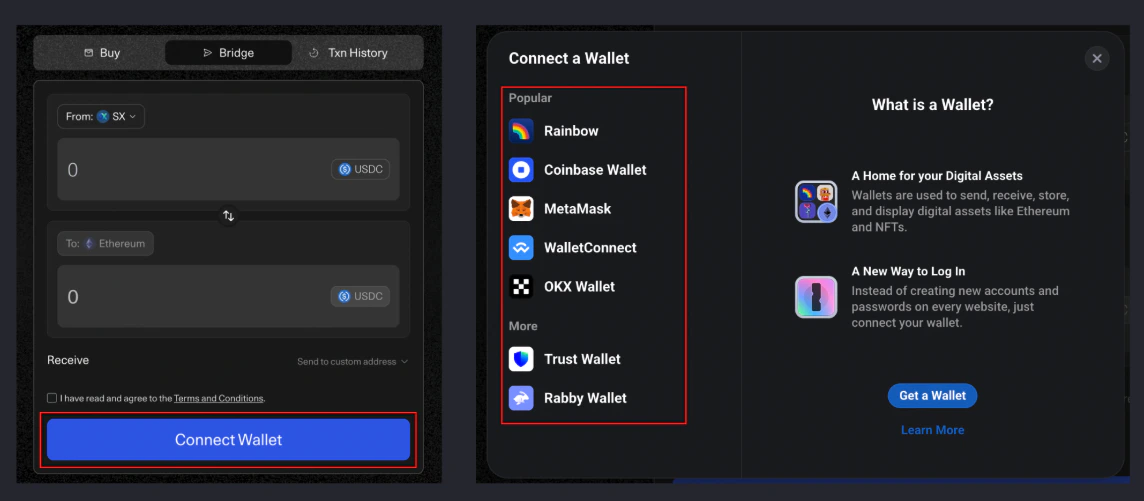 3. Make sure you have some SX token in your wallet to cover network fees. If you don't have any SX, you can get some from the [faucet](https://faucet.sx.technology/).
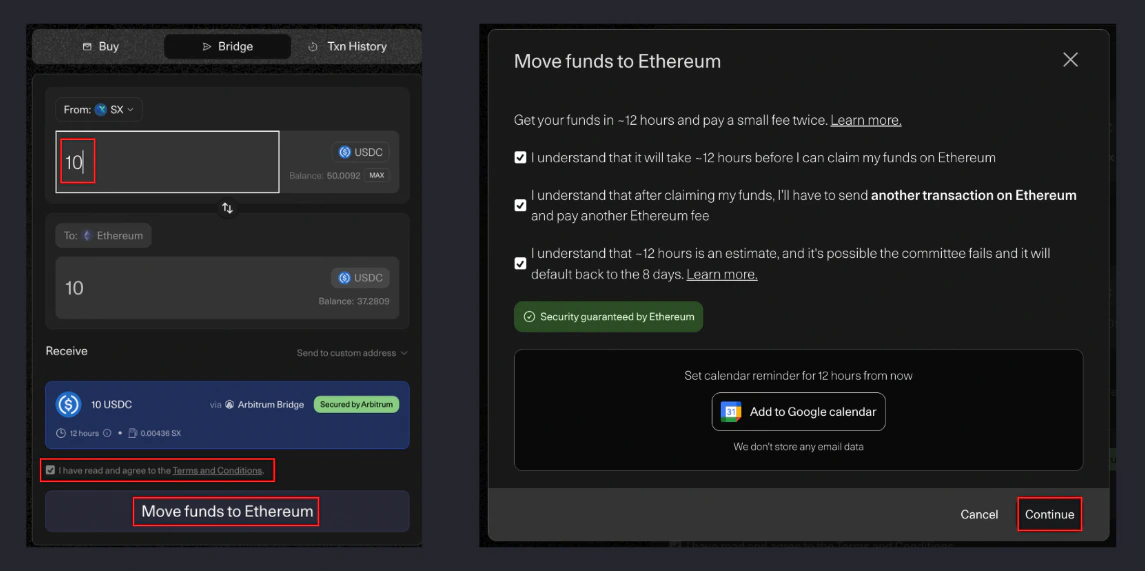
4. Enter the amount of USDC you would like to bridge, agree to the terms, and click "Move funds to Ethereum".
3. Make sure you have some SX token in your wallet to cover network fees. If you don't have any SX, you can get some from the [faucet](https://faucet.sx.technology/).
4. Enter the amount of USDC you would like to bridge, agree to the terms, and click "Move funds to Ethereum".
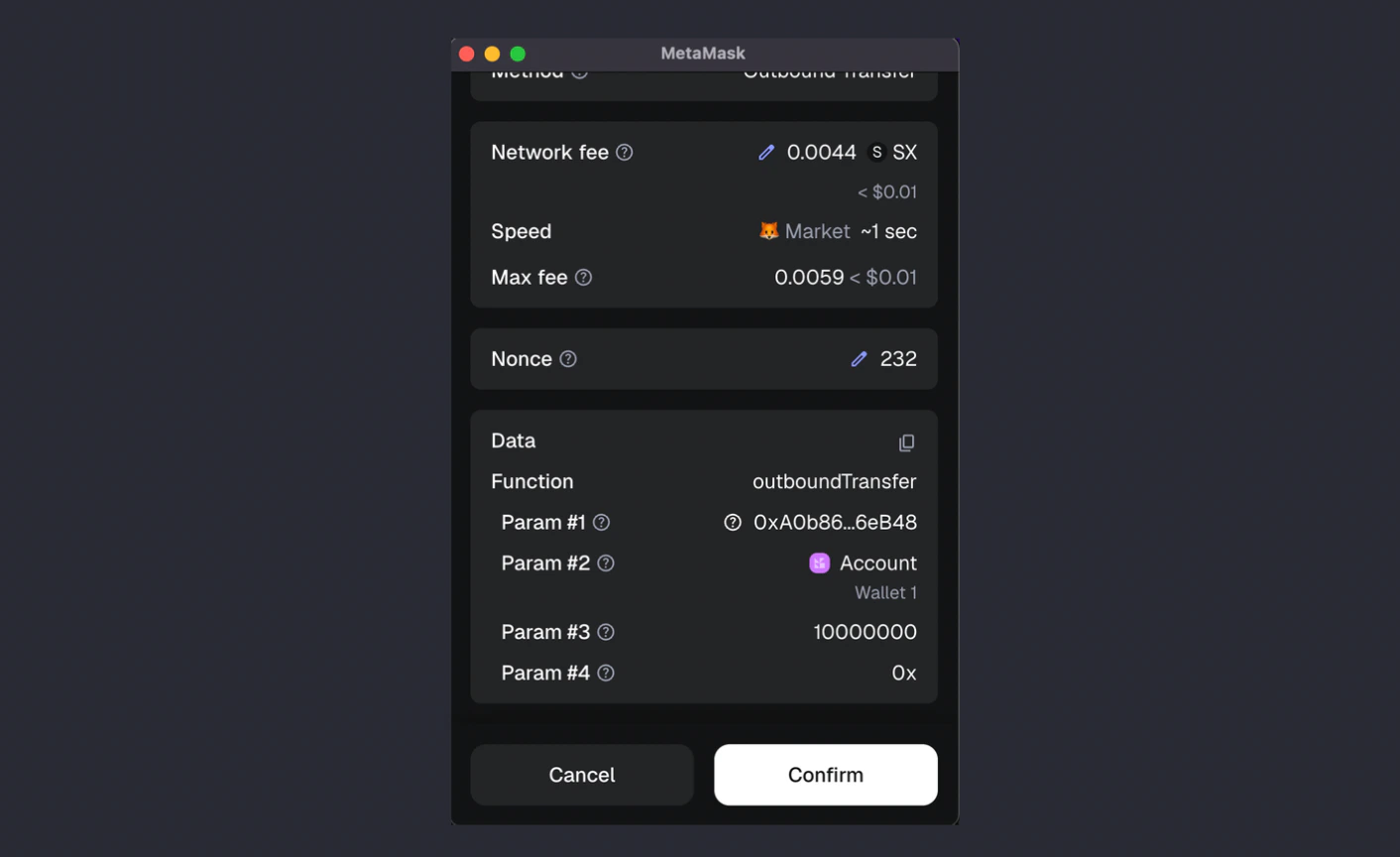
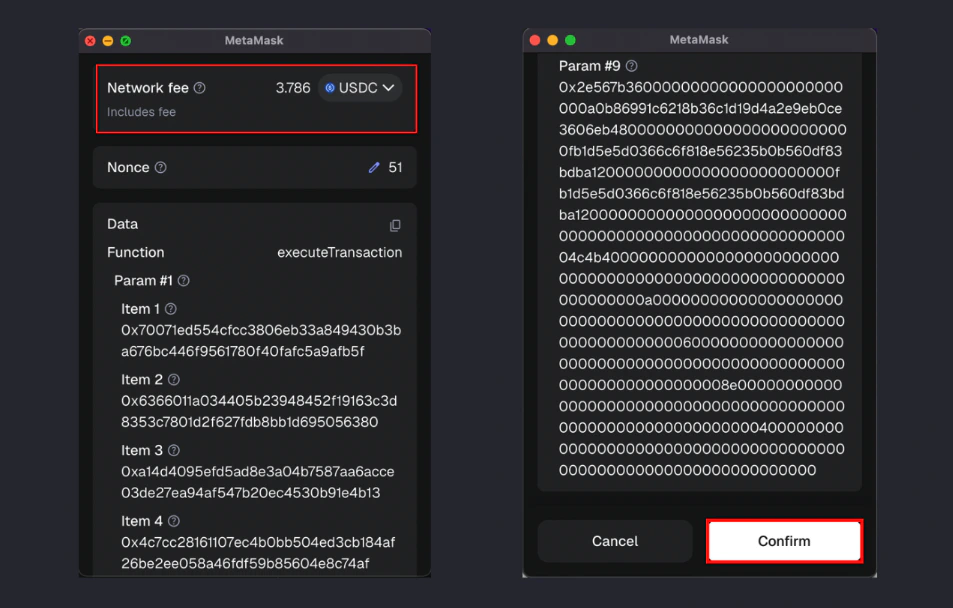
 5. Confirm the transaction in your wallet.
 6. Wait 12 hours for your transfer to complete. When the bridge is complete, you may claim it from the same page by clicking the green "Claim" button.
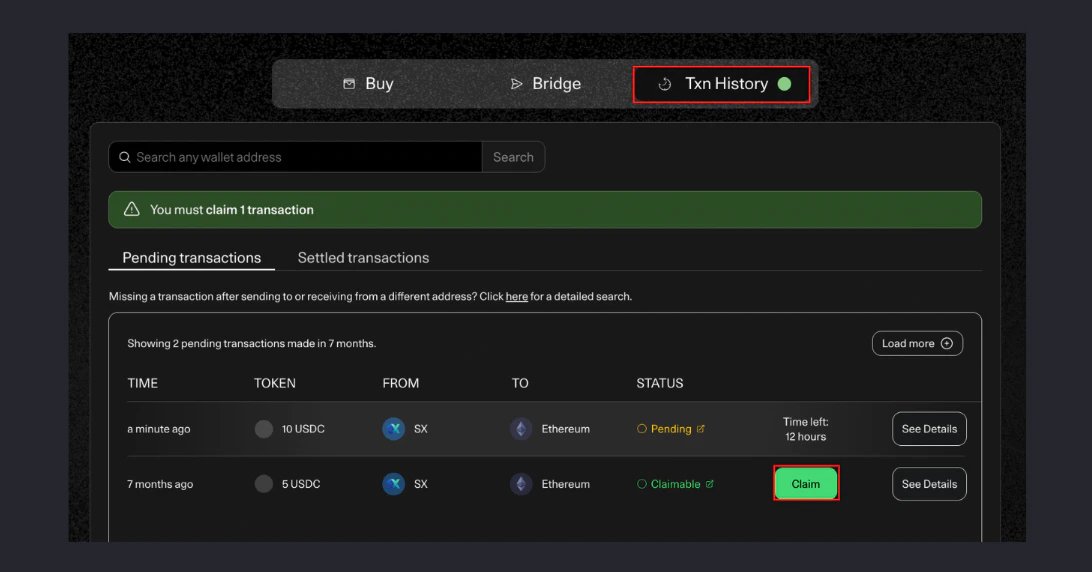 7. Confirm the claim transaction in your wallet. You will need some ETH or USDC on Ethereum in your wallet to cover the network fee.
 Success!
Fund your wallet when you're ready to bet again.
Learn about trading fees, gas fees, and bridging costs.
Success!
Fund your wallet when you're ready to bet again.
Learn about trading fees, gas fees, and bridging costs.