> ## Documentation Index
> Fetch the complete documentation index at: https://docs.sx.bet/llms.txt
> Use this file to discover all available pages before exploring further.
# Withdraw With Interac e-Transfer
> Withdraw your USDC to a Canadian bank account via Interac e-Transfer.
If you are in Canada, PayTrie allows you to sell USDC directly on SX Bet via e-Transfer.
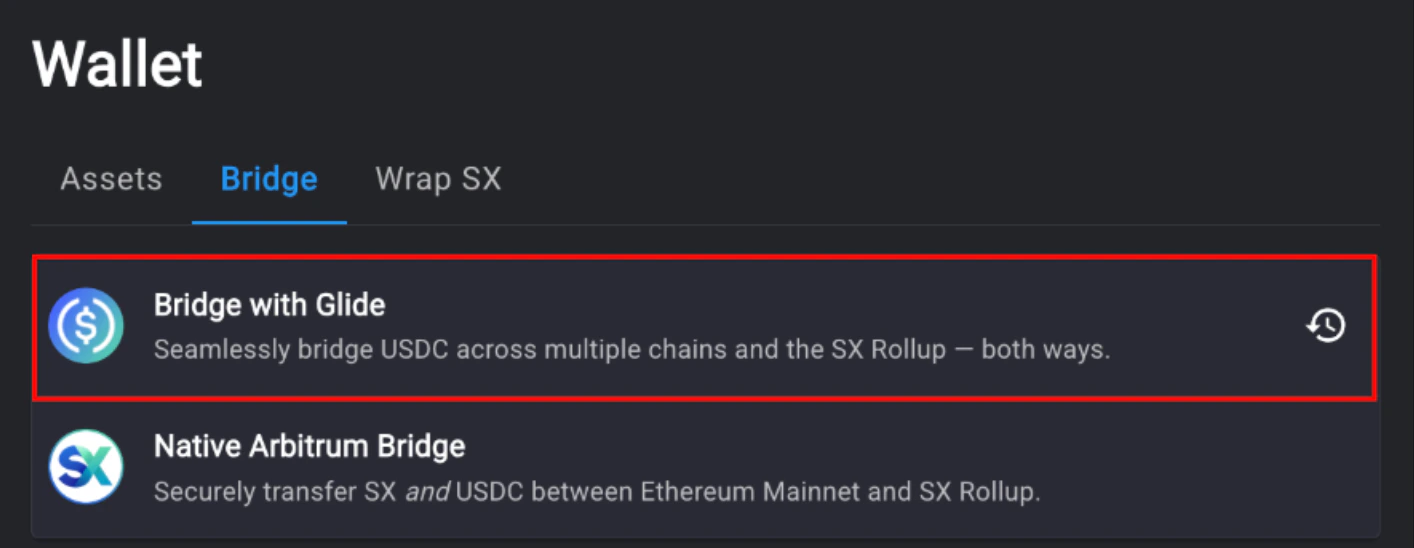
1. Go to the [bridge page](https://sx.bet/wallet/bridge) on SX Bet and select "Bridge with Glide".
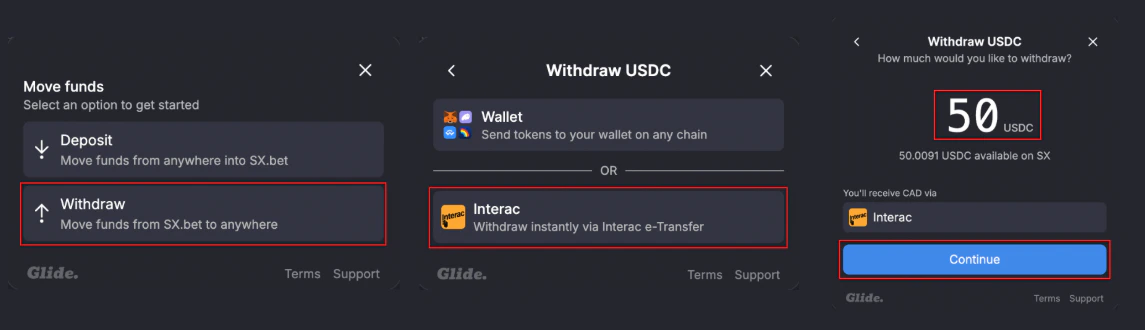
 2. Select "Withdraw", then select "Interac". Enter the amount you want to withdraw then click "Continue".
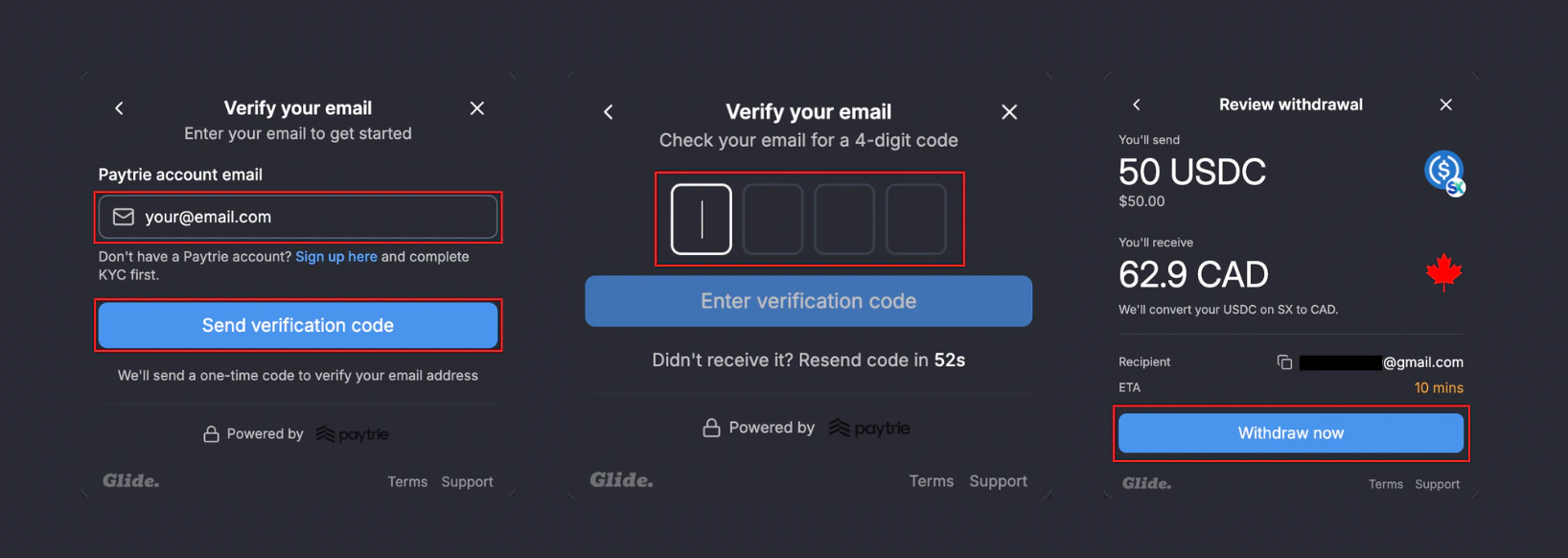
 3. Enter your PayTrie account email. Click "Send verification code", then check your email inbox for a 4-digit verification code. Confirm the withdrawal by clicking "Withdraw now".
 4. Once the transaction is complete, an Interac e-Transfer will be sent to your email.
Fund your wallet again using Interac e-Transfer.
Earn USDC by providing liquidity on SX Bet markets.
4. Once the transaction is complete, an Interac e-Transfer will be sent to your email.
Fund your wallet again using Interac e-Transfer.
Earn USDC by providing liquidity on SX Bet markets.