> ## Documentation Index
> Fetch the complete documentation index at: https://docs.sx.bet/llms.txt
> Use this file to discover all available pages before exploring further.
# Withdraw USDC to a Crypto Exchange
> Want to cash your crypto in for real currency? Here is the guide.
The exchange you will use depends on what's available in your location, but some popular crypto exchanges include Coinbase, Kraken, Crypto.com, Binance and eToro.
We'll walk through these steps using Coinbase, but you'll find most crypto exchanges have a similar layout.
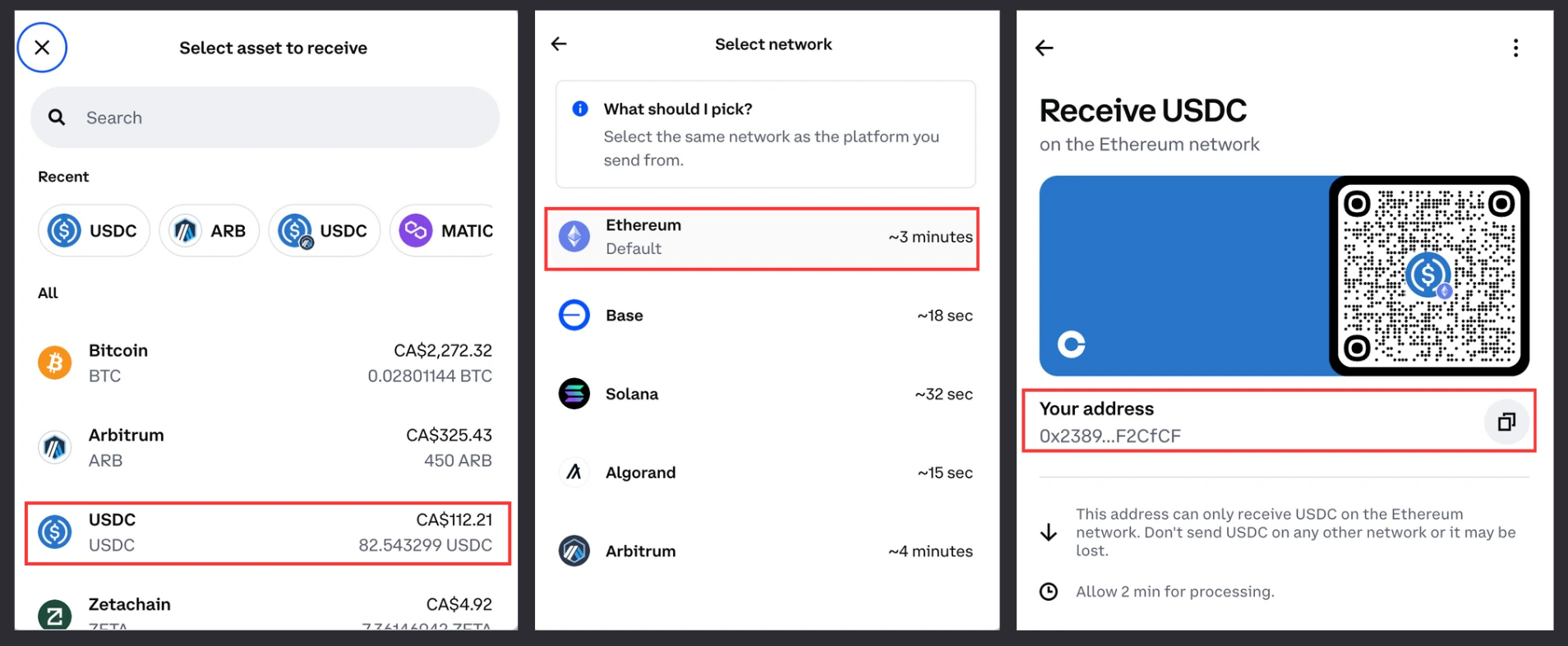
1. Login to [Coinbase](https://login.coinbase.com/) and click "Receive Crypto" — select USDC, Base network, then copy your Coinbase address.
We're using the Base blockchain in this example, though you can send your USDC using Ethereum, Arbitrum, Polygon, Optimism, or Base network.
Make sure that the receiving address you copy from your exchange account matches the network you withdraw to (e.g. if you are using your Base USDC address on Coinbase, you need to withdraw your USDC to Base network).
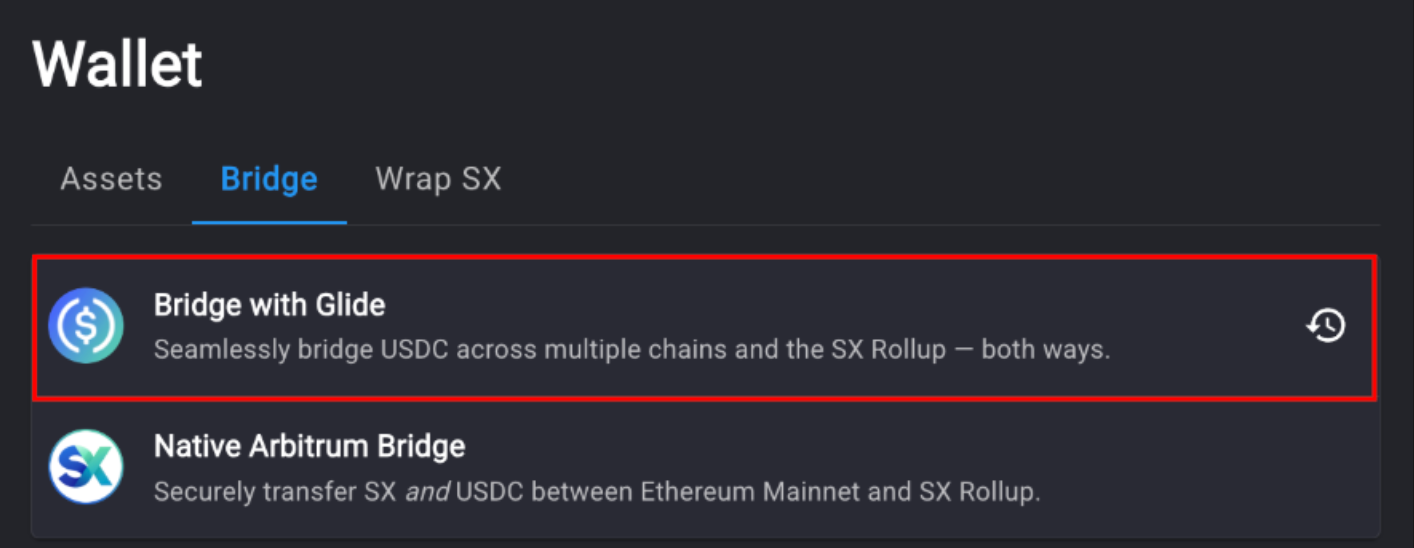
 2. Go to the [bridge page](https://sx.bet/wallet/bridge) on SX Bet and select "Bridge with Glide".
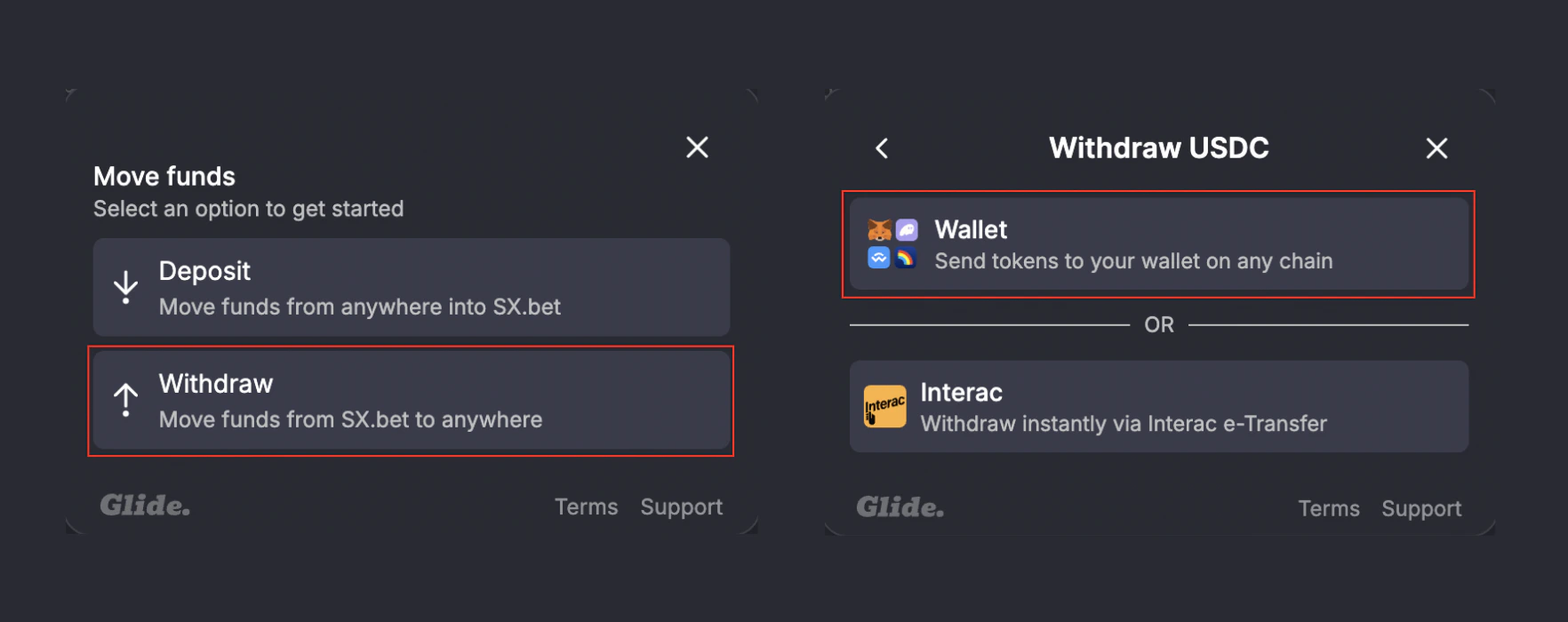
 3. Select "Withdraw", then select "Wallet".
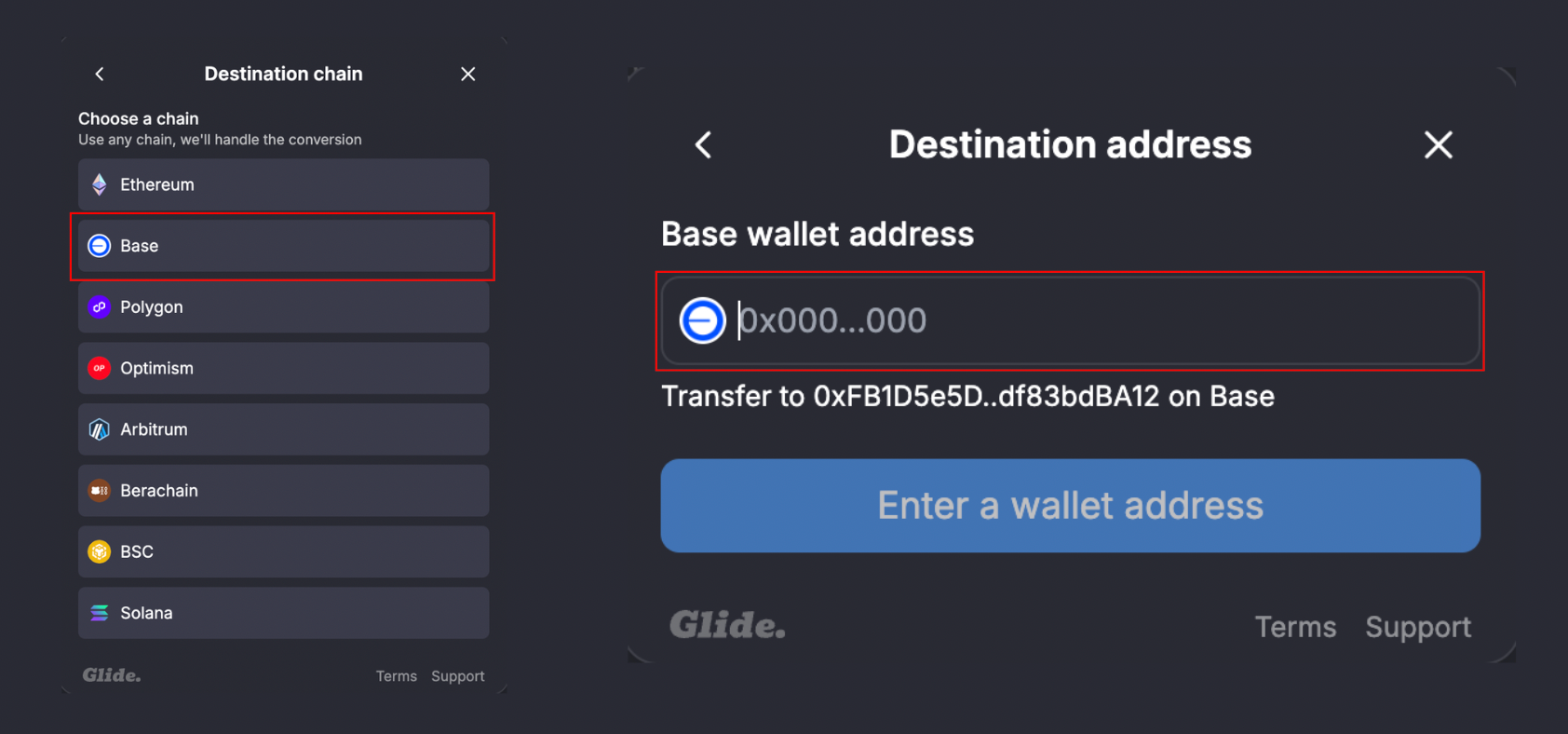
 4. Select Base as your withdrawal network, then paste in your Coinbase deposit address from step 1.
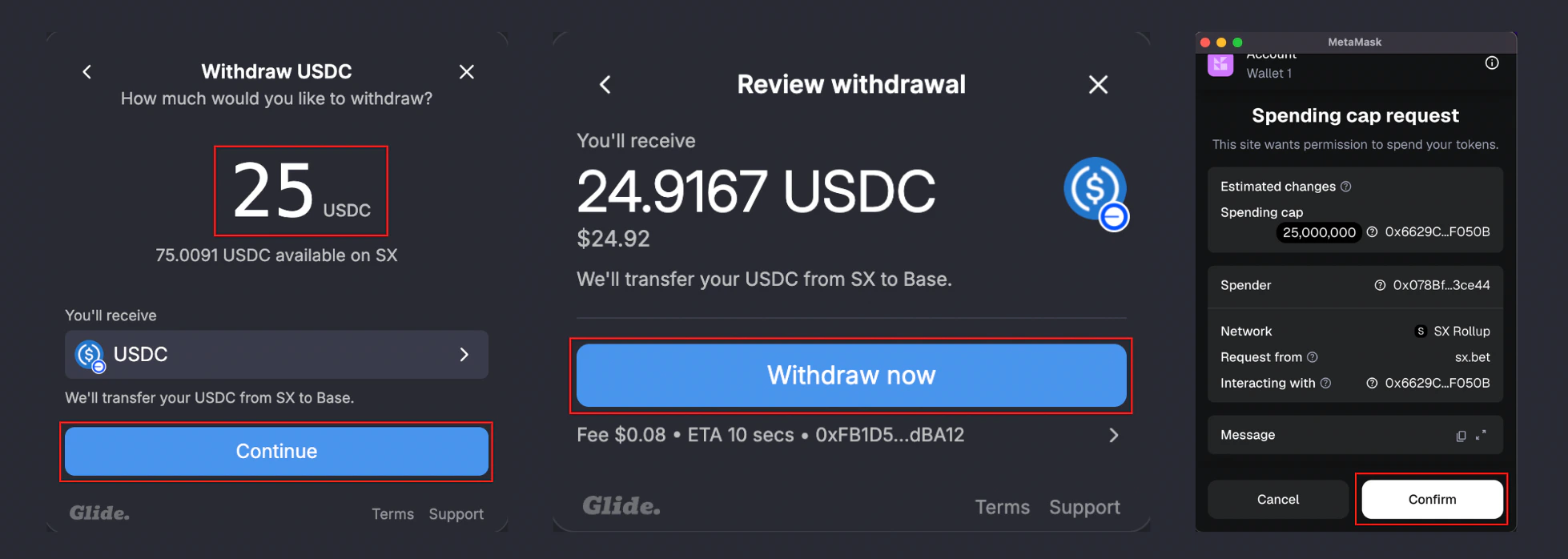
 5. Enter the amount of USDC you would like to withdraw, click "Continue", then "Withdraw now".
**If you are using MetaMask/Rabby, you will need to confirm the transaction in your wallet.**
5. Enter the amount of USDC you would like to withdraw, click "Continue", then "Withdraw now".
**If you are using MetaMask/Rabby, you will need to confirm the transaction in your wallet.**
 6. Wait for the transaction to complete.
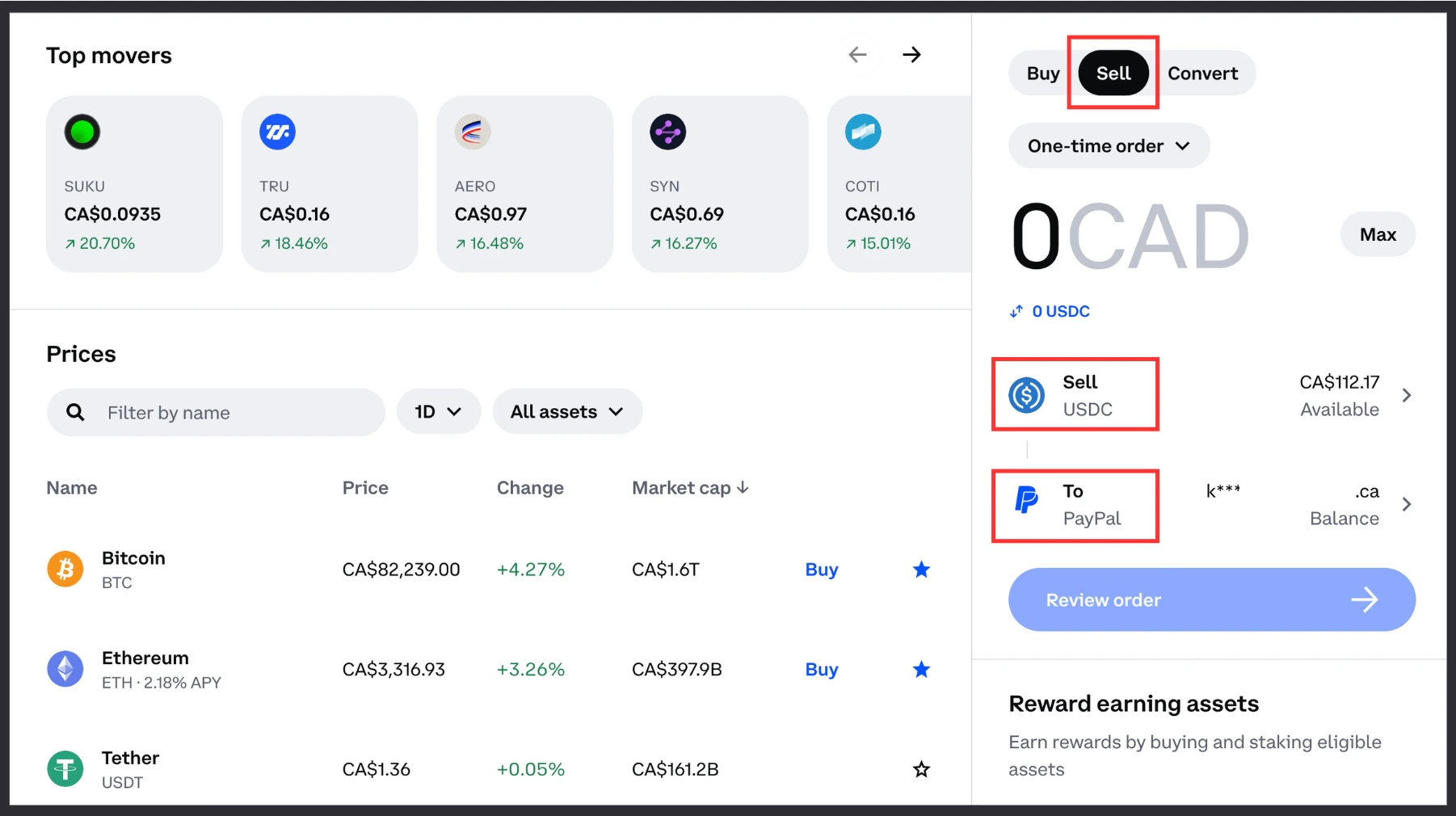
7. Go back to your Coinbase account and click "Sell" — connect your PayPal account to receive your funds in fiat currency, then complete the transaction.
6. Wait for the transaction to complete.
7. Go back to your Coinbase account and click "Sell" — connect your PayPal account to receive your funds in fiat currency, then complete the transaction.
 That's it! Now you have your funds back in fiat currency.
Fund your wallet again when you're ready to bet.
Earn USDC by providing liquidity on SX Bet markets.
That's it! Now you have your funds back in fiat currency.
Fund your wallet again when you're ready to bet.
Earn USDC by providing liquidity on SX Bet markets.