> ## Documentation Index
> Fetch the complete documentation index at: https://docs.sx.bet/llms.txt
> Use this file to discover all available pages before exploring further.
# Quickstart
> Sign up, fund your wallet, and place your first bet on SX Bet in minutes.
Get started on SX Bet in three steps.
Go to [sx.bet](https://sx.bet) and create an account. You have two options:
Sign up with your email or Google account. SX Bet will automatically create a secure wallet for you — no crypto experience needed.
Already have a crypto wallet like [MetaMask](https://metamask.io) or [Rabby](https://rabby.io)? Connect it directly to SX Bet.
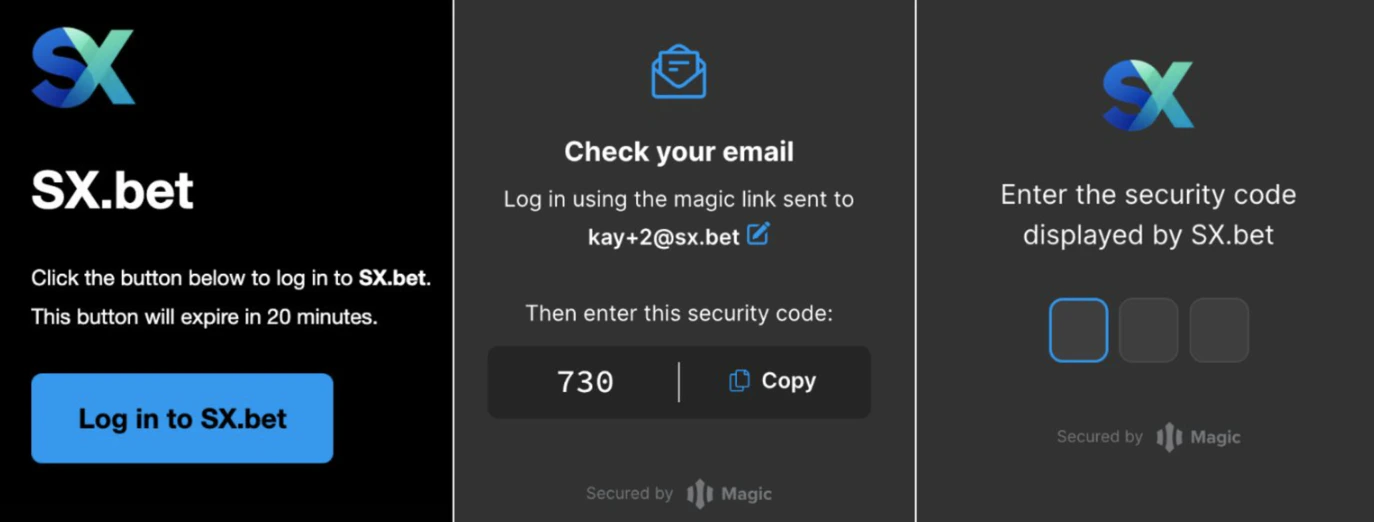
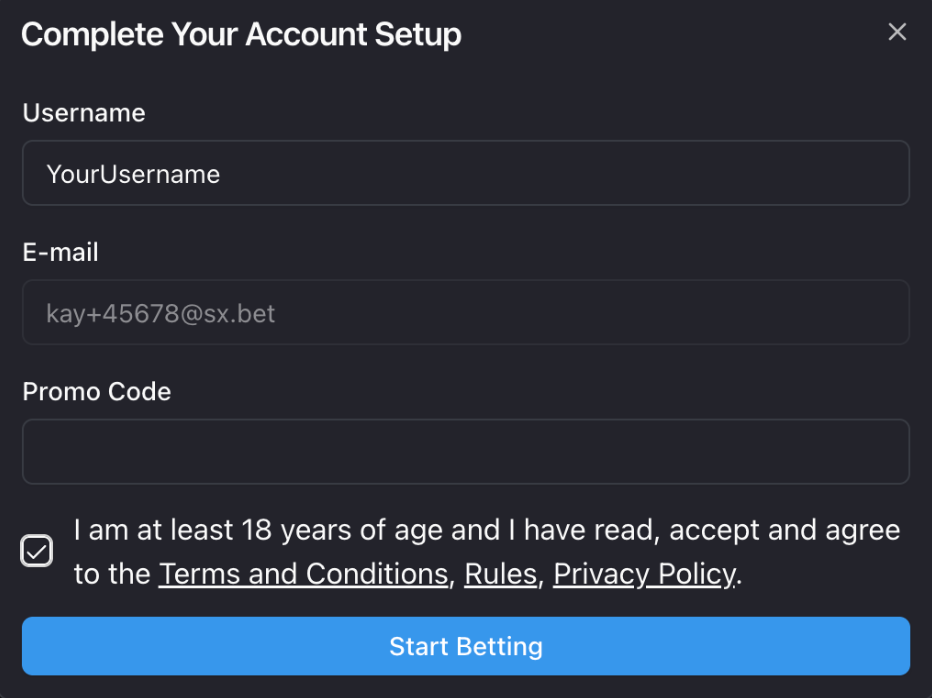
 **If signing up with email:** you'll receive a confirmation email with a 3-digit code. Enter the code to verify your account, then choose a username.
 **If connecting a wallet:** confirm the connection in your wallet extension, then choose a username.
 To place bets, you'll need **USDC** in your SX Bet wallet. There are several ways to deposit:
1. Click **Deposit** on SX Bet and select **Deposit from anywhere**.
2. Select the token you will be using to deposit and the blockchain network you're sending it on.
3. Copy your transfer address.
4. Go to your exchange or wallet, click **Send**, paste your transfer address, and enter the amount you would like to deposit.
5. Confirm the transfer. Your USDC will appear in your SX Bet wallet shortly.
See the full guide: [Deposit by Transferring Crypto](/user-guides/deposit-withdraw/transfer-crypto)
Now that your wallet is funded, you're ready to bet.
1. **Browse markets** — find a game you want to bet on. Use the sidebar to browse by sport, or search for a specific team or event.
2. **Select your bet** — click on the outcome you want to bet on. This opens the bet slip.
3. **Enter your stake** — type in how much USDC you want to wager. You'll see your potential payout calculated automatically.
4. **Place your bet** — click **"Place Bet"** to confirm. If you're using MetaMask or Rabby, confirm the transaction in your wallet.
Your bet is now live. You can track it on the [My Bets](https://sx.bet/my-bets) page.
## What's Next?
Browse sports, leagues, and bet types on SX Bet.
Bet at the best available odds and get matched instantly.
Request your own odds and wait for someone to fill your order.
To place bets, you'll need **USDC** in your SX Bet wallet. There are several ways to deposit:
1. Click **Deposit** on SX Bet and select **Deposit from anywhere**.
2. Select the token you will be using to deposit and the blockchain network you're sending it on.
3. Copy your transfer address.
4. Go to your exchange or wallet, click **Send**, paste your transfer address, and enter the amount you would like to deposit.
5. Confirm the transfer. Your USDC will appear in your SX Bet wallet shortly.
See the full guide: [Deposit by Transferring Crypto](/user-guides/deposit-withdraw/transfer-crypto)
Now that your wallet is funded, you're ready to bet.
1. **Browse markets** — find a game you want to bet on. Use the sidebar to browse by sport, or search for a specific team or event.
2. **Select your bet** — click on the outcome you want to bet on. This opens the bet slip.
3. **Enter your stake** — type in how much USDC you want to wager. You'll see your potential payout calculated automatically.
4. **Place your bet** — click **"Place Bet"** to confirm. If you're using MetaMask or Rabby, confirm the transaction in your wallet.
Your bet is now live. You can track it on the [My Bets](https://sx.bet/my-bets) page.
## What's Next?
Browse sports, leagues, and bet types on SX Bet.
Bet at the best available odds and get matched instantly.
Request your own odds and wait for someone to fill your order.