> ## Documentation Index
> Fetch the complete documentation index at: https://docs.sx.bet/llms.txt
> Use this file to discover all available pages before exploring further.
# Finding Markets
> How to search for events, switch between market types, and find alt lines on SX Bet.
## Search
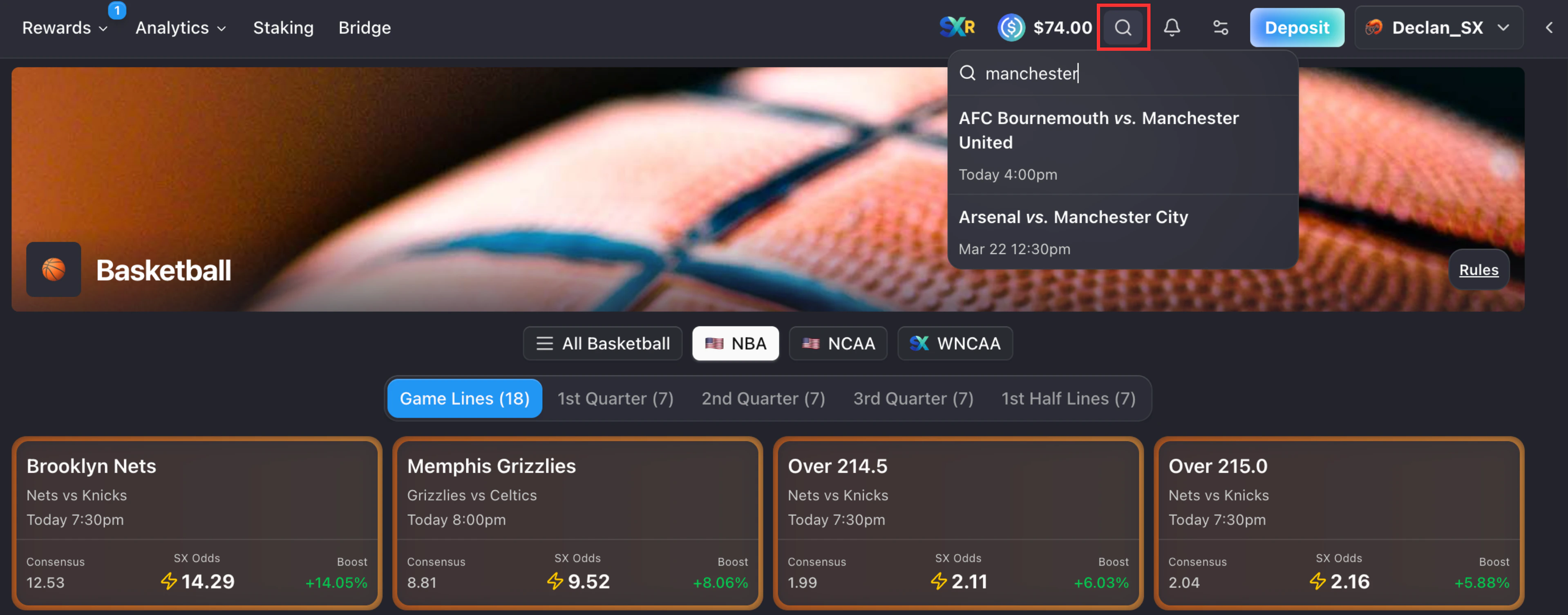
Click the **search icon** (top right of the navbar) and type a team or event name. Results appear as you type, showing the matchup and start time. Click a result to go directly to that event.
 ## Market Types
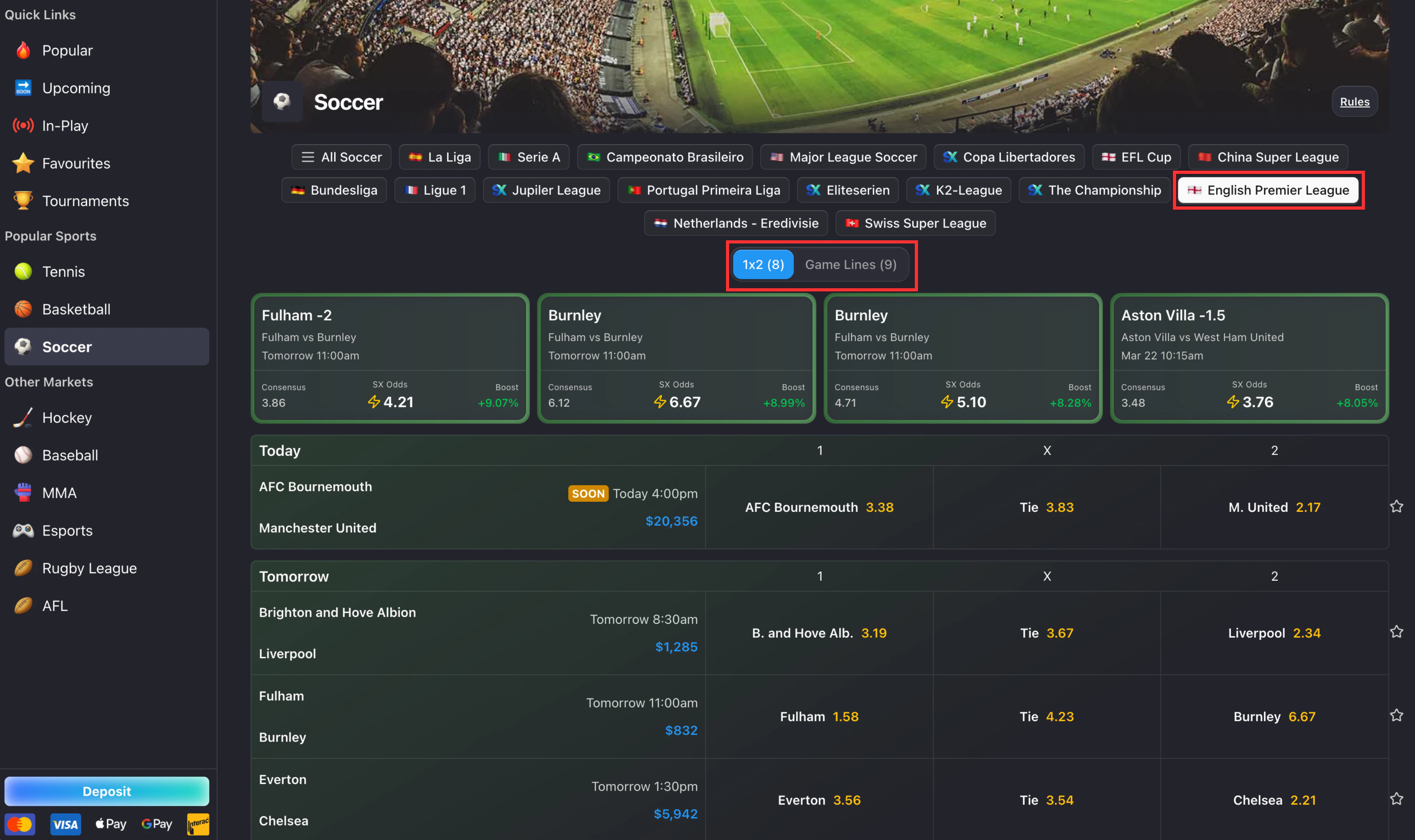
On a sport page, select a league to change market types (e.g. Game Lines, 1X2).
## Market Types
On a sport page, select a league to change market types (e.g. Game Lines, 1X2).
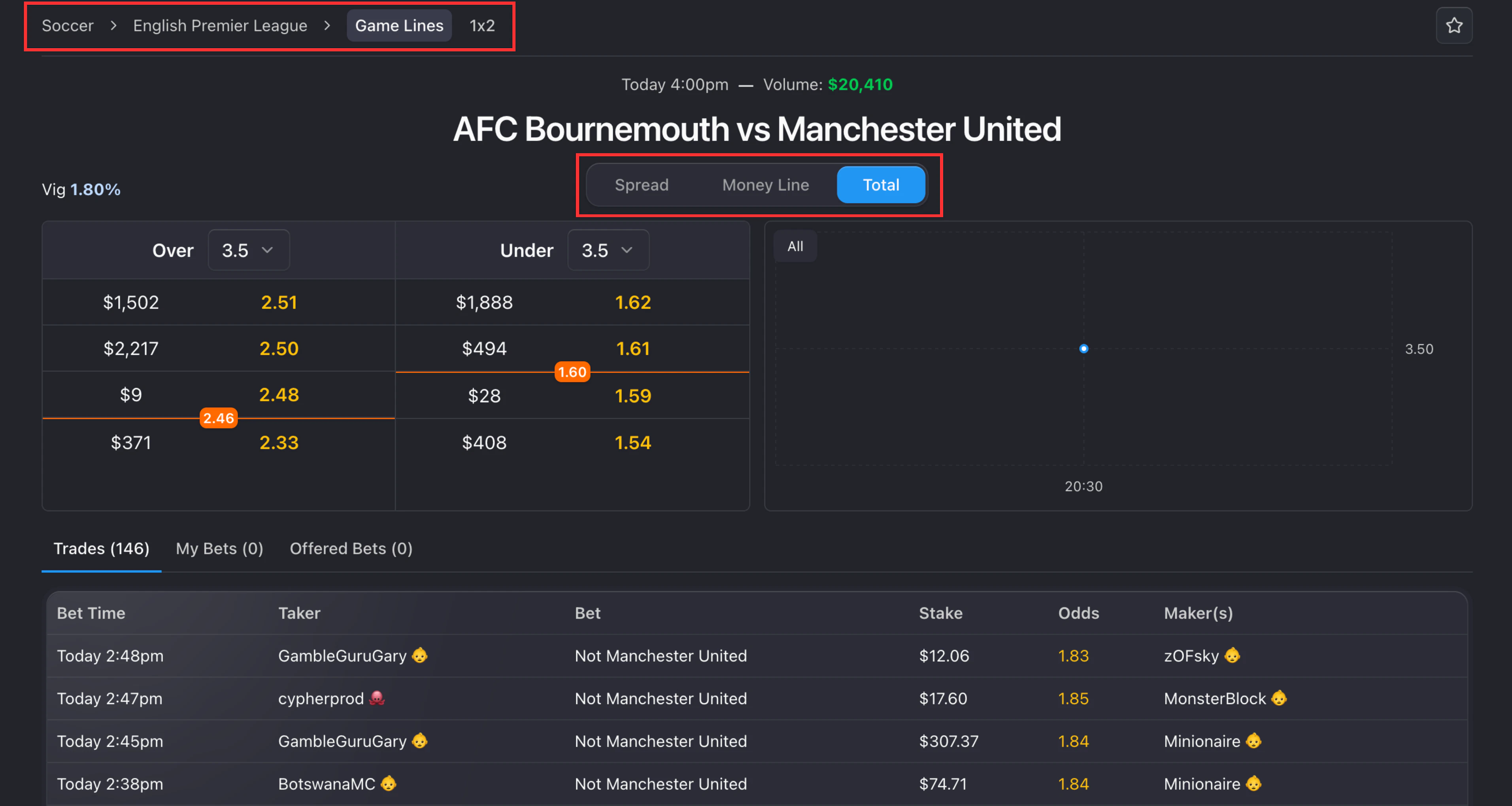
 On an event page, use the navigation at the top to switch between bet types (e.g. Game Lines, 1X2, First Half, First 5 Innings, Set Betting) and the tabs within each type to switch between its individual markets. Available market types vary by sport.
 ## Alt Lines
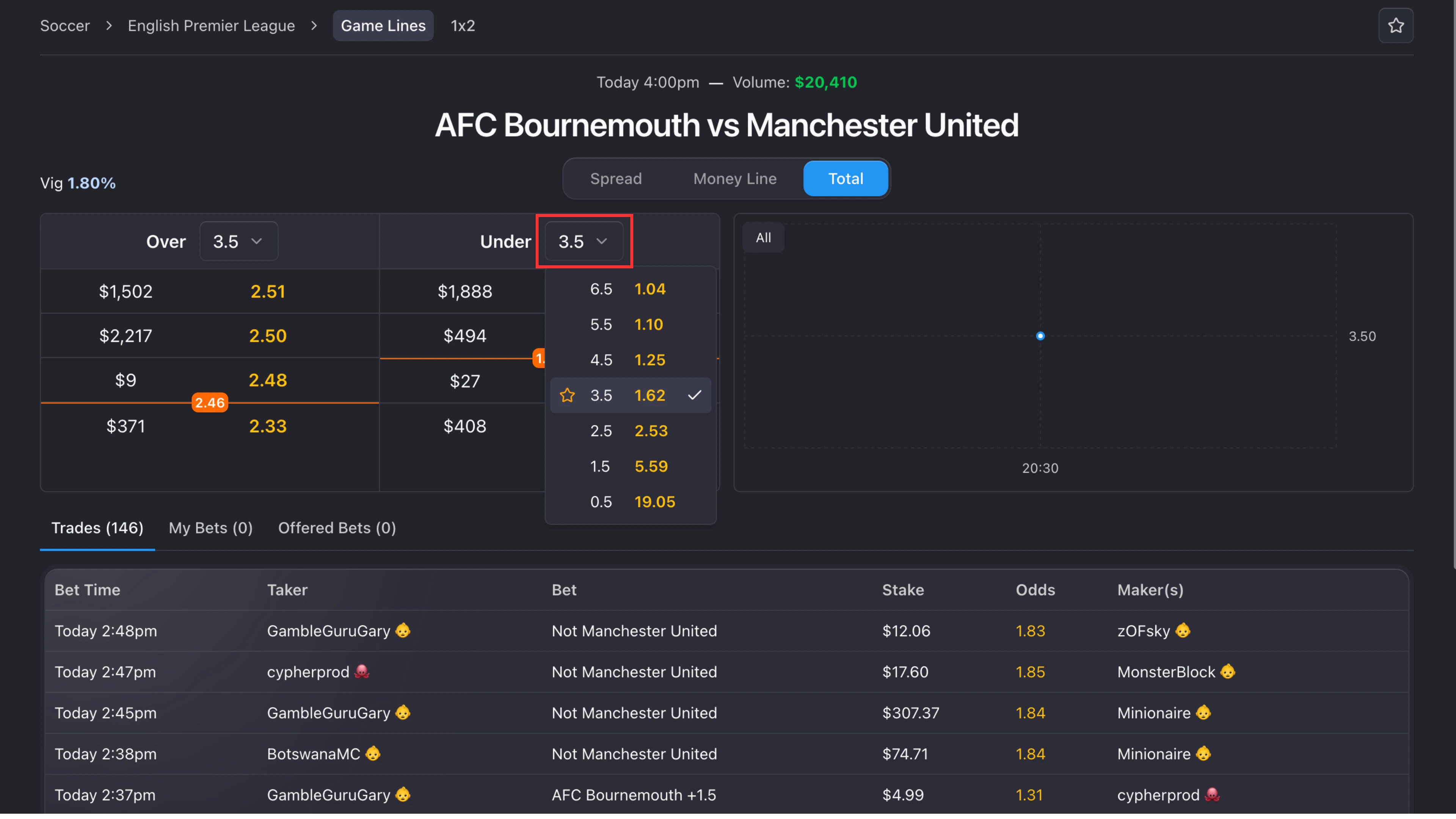
For Spread and Total markets, SX Bet offers **alt lines** — alternative point spreads and totals with different odds.
To access them:
1. On the Spread or Total tab, find the line selector next to a team's name (e.g., **+0.5 ▾**).
2. Click the dropdown to see all available lines.
3. Each line shows its corresponding odds. The currently active line is marked with a checkmark.
4. Select any line to switch the order book to that alt line.
Alt lines let you shop for better odds by taking on more or less risk than the standard line.
## Alt Lines
For Spread and Total markets, SX Bet offers **alt lines** — alternative point spreads and totals with different odds.
To access them:
1. On the Spread or Total tab, find the line selector next to a team's name (e.g., **+0.5 ▾**).
2. Click the dropdown to see all available lines.
3. Each line shows its corresponding odds. The currently active line is marked with a checkmark.
4. Select any line to switch the order book to that alt line.
Alt lines let you shop for better odds by taking on more or less risk than the standard line.
 Learn how to read odds and liquidity once you've found a market.
Bet at the best available odds and get matched instantly.
Learn how to read odds and liquidity once you've found a market.
Bet at the best available odds and get matched instantly.