> ## Documentation Index
> Fetch the complete documentation index at: https://docs.sx.bet/llms.txt
> Use this file to discover all available pages before exploring further.
# Market Orders (Taker)
> Place a market order to bet at the best available odds on SX Bet.
A **market order** is like placing a bet with a traditional sportsbook — you're betting on a specific outcome to occur at the best odds currently available.
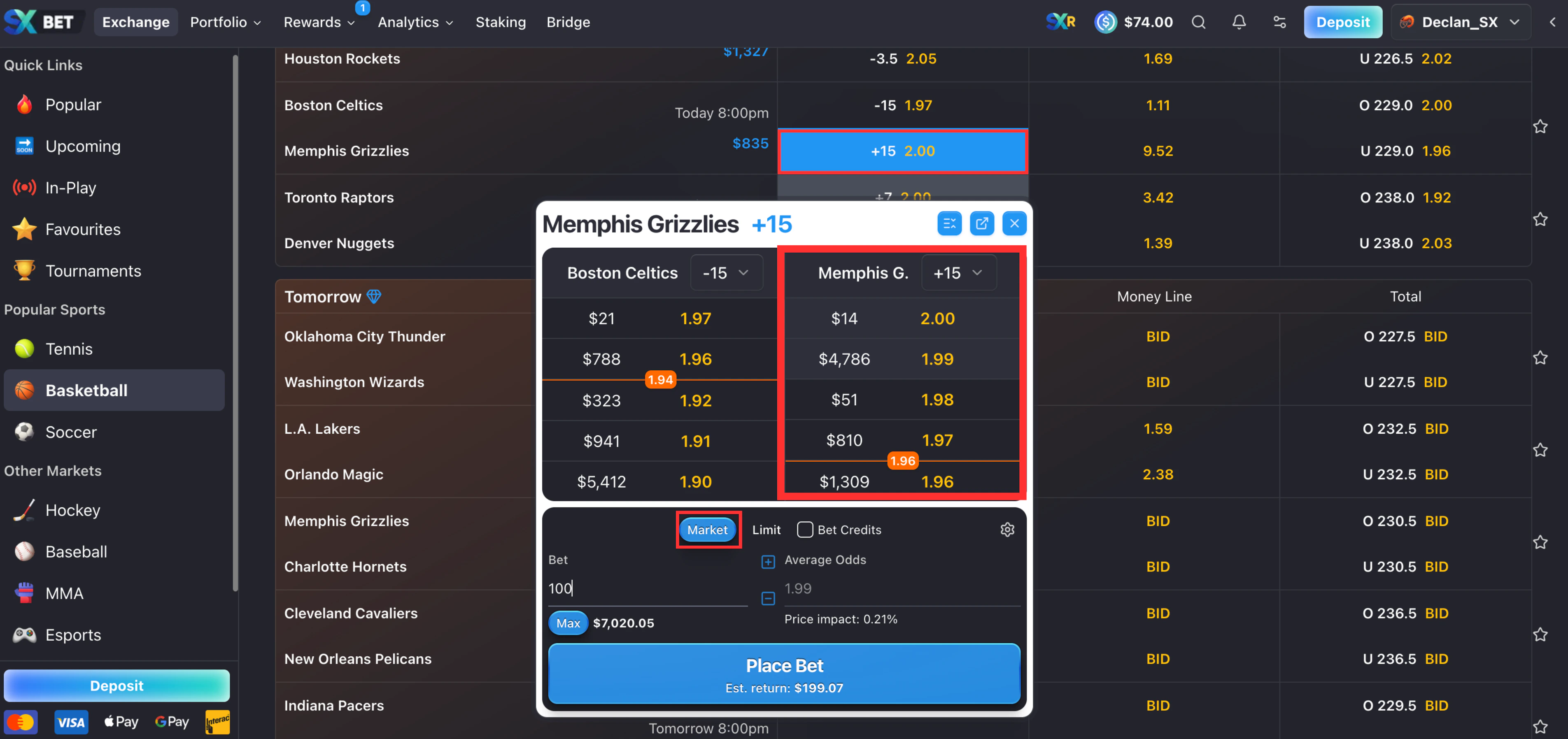
Click on your desired market to pull up the order book. You'll see a variety of odds available, **select the best odds, enter your wager and click "Place Bet"**. If you're using MetaMask, an additional approval will pop up in your wallet.
**Example**: You bet the Grizzlies will cover +15. The current best odds are 2.00. You place a Market Order, your bet is matched instantly.
 ## Slippage
Between the moment you submit a bet and when it's matched, the order book can change — a maker might cancel their order, or another bettor might fill it before you. Slippage tolerance is how much worse than your selected odds you're willing to accept for your bet to still go through.
You can adjust slippage in two places:
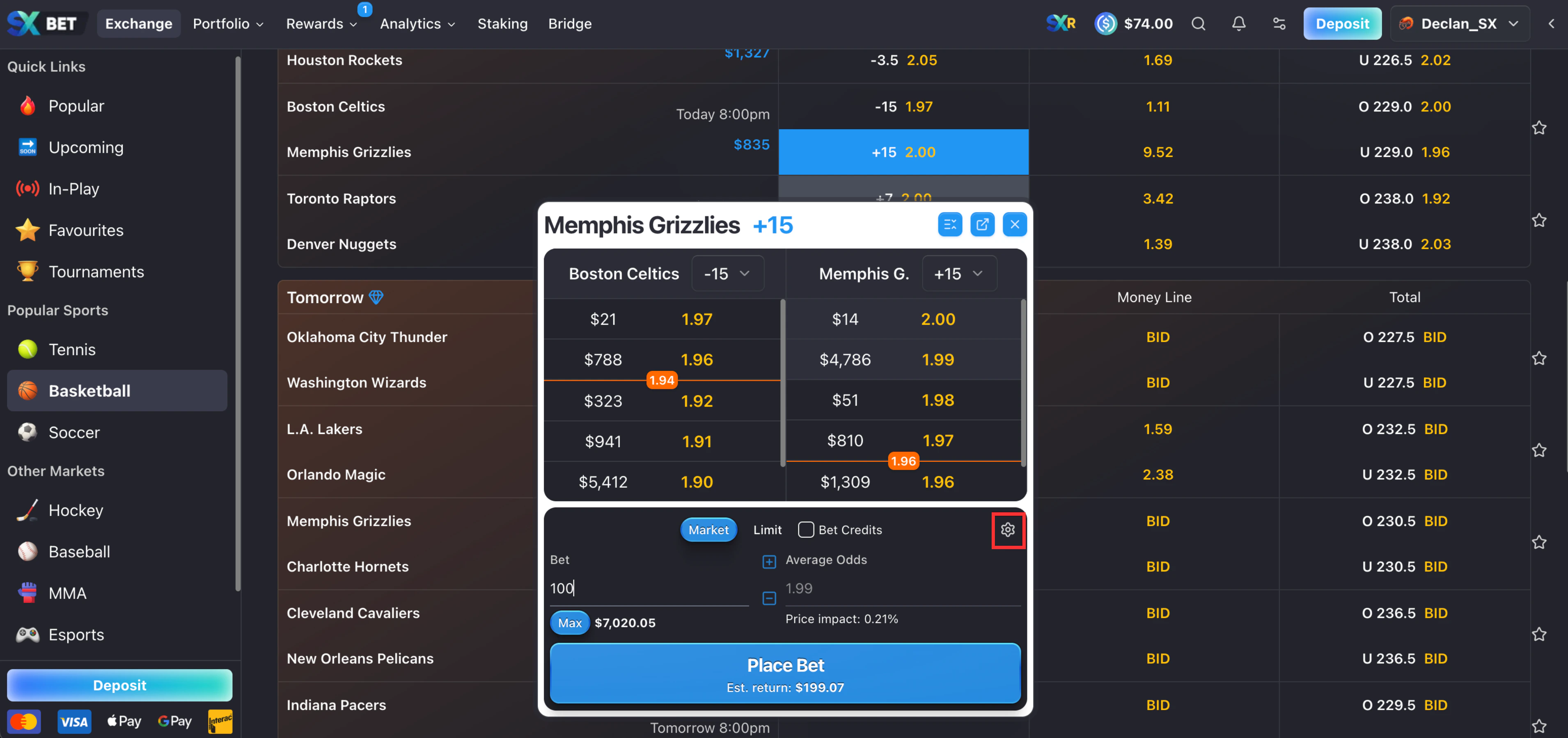
**Per-bet slippage** — overrides slippage for that individual bet only.
## Slippage
Between the moment you submit a bet and when it's matched, the order book can change — a maker might cancel their order, or another bettor might fill it before you. Slippage tolerance is how much worse than your selected odds you're willing to accept for your bet to still go through.
You can adjust slippage in two places:
**Per-bet slippage** — overrides slippage for that individual bet only.
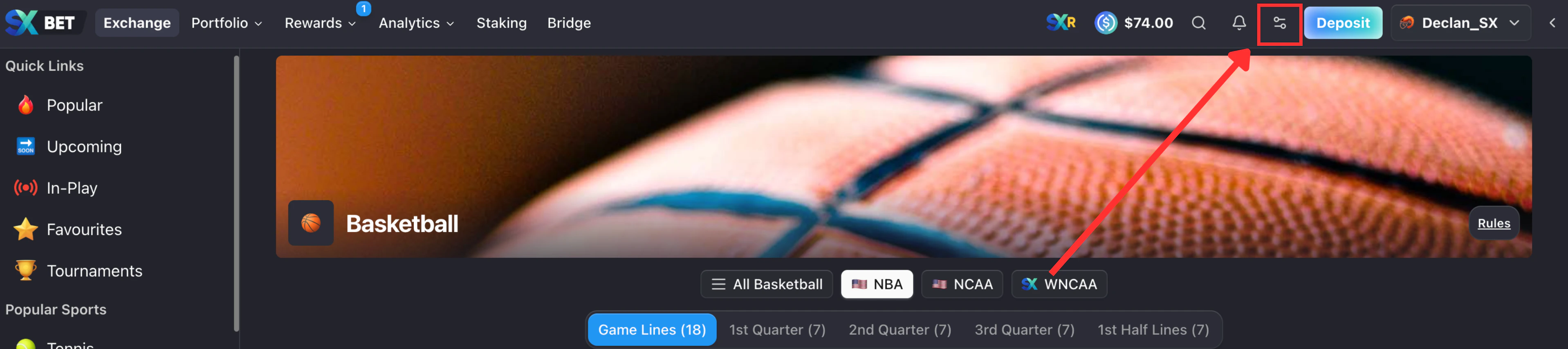
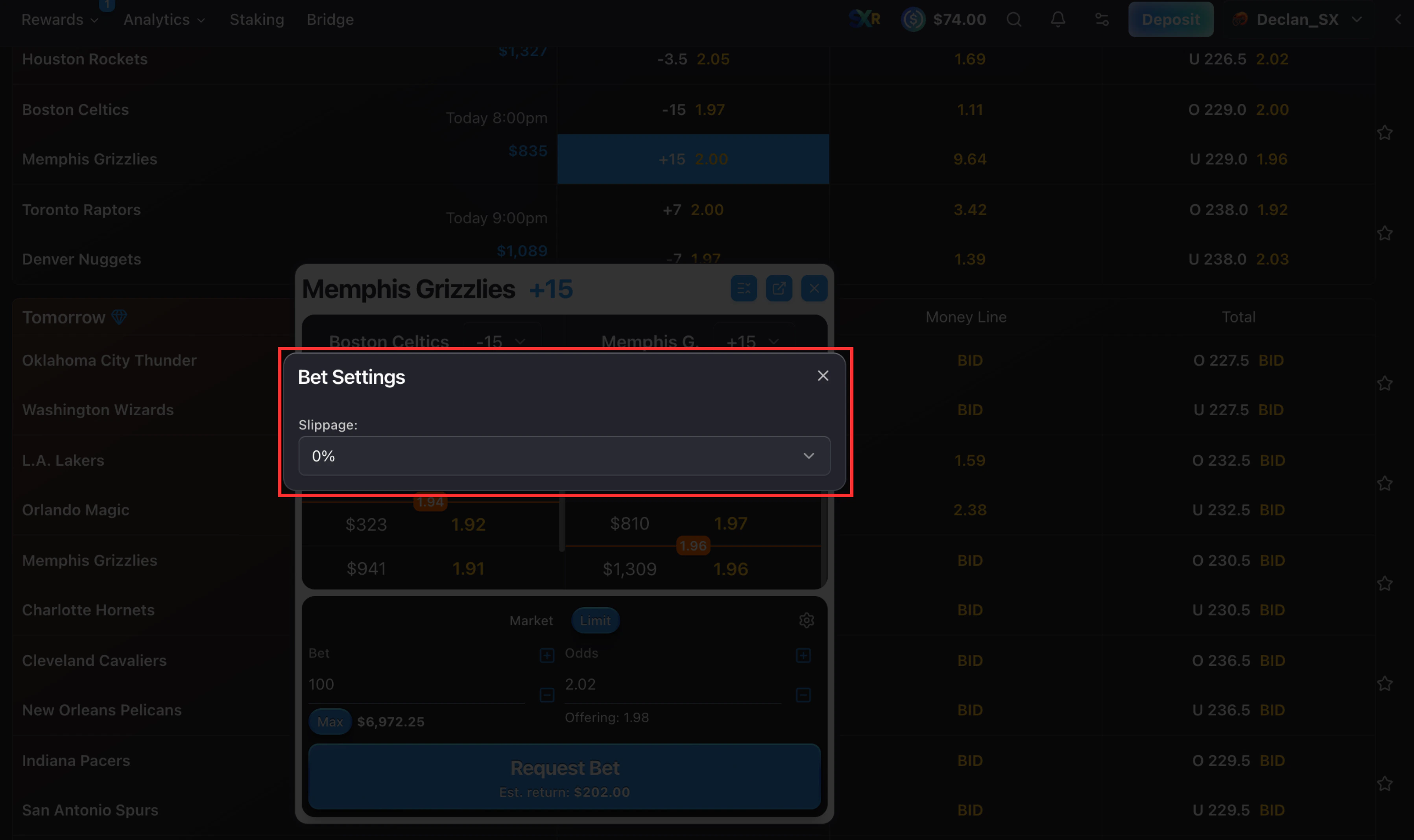 **Default slippage** — sets your default slippage for all bets.
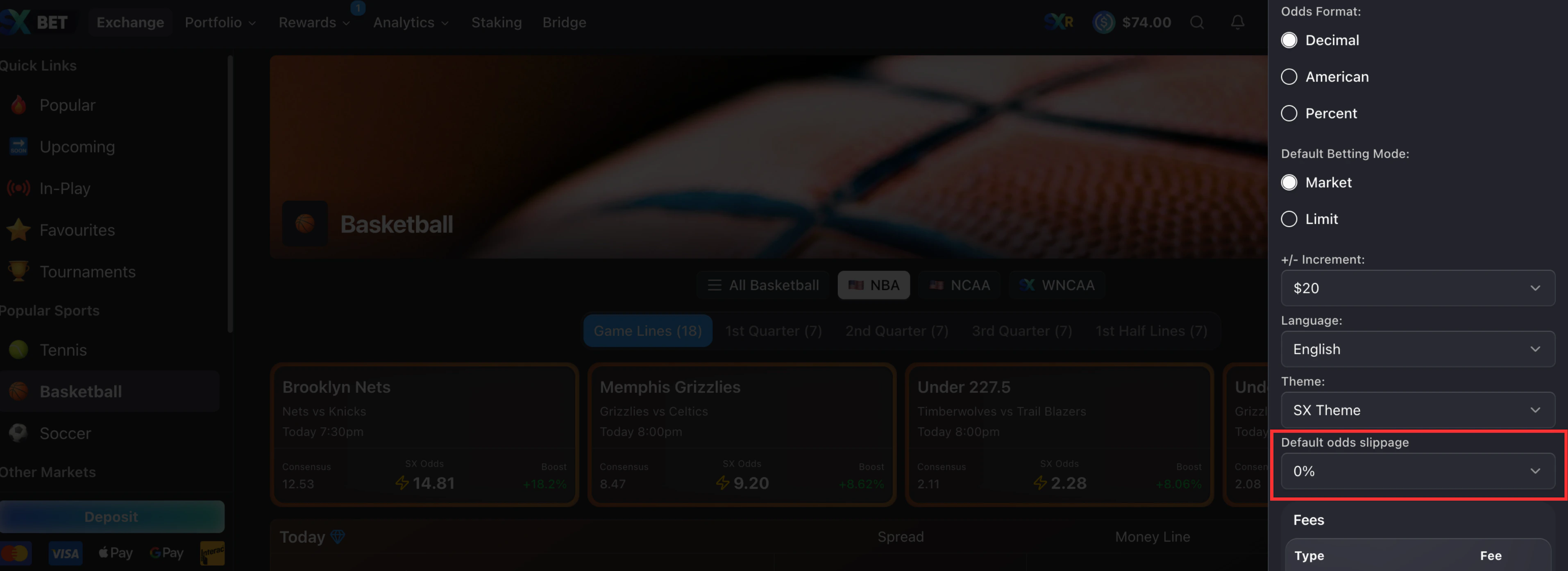 Slippage is calculated on your **weighted average odds** across the entire bet — not on each individual order. This means your bet can fill across multiple price levels, and as long as the average odds stay within your slippage tolerance, it goes through. A single order at slightly worse odds won't necessarily cause your bet to fail if the rest of the fill brings the average back within range.
For most pre-match bets, the default slippage is fine. For live/in-play markets where odds shift constantly, increasing your slippage tolerance reduces the chance of your bet failing to fill.
Higher slippage means you may receive worse odds than you selected. Only increase it when getting matched quickly matters more than getting the exact price.
Post your own odds and earn the spread as a market maker.
Learn how to read the order book to find available odds and liquidity.
Slippage is calculated on your **weighted average odds** across the entire bet — not on each individual order. This means your bet can fill across multiple price levels, and as long as the average odds stay within your slippage tolerance, it goes through. A single order at slightly worse odds won't necessarily cause your bet to fail if the rest of the fill brings the average back within range.
For most pre-match bets, the default slippage is fine. For live/in-play markets where odds shift constantly, increasing your slippage tolerance reduces the chance of your bet failing to fill.
Higher slippage means you may receive worse odds than you selected. Only increase it when getting matched quickly matters more than getting the exact price.
Post your own odds and earn the spread as a market maker.
Learn how to read the order book to find available odds and liquidity.