
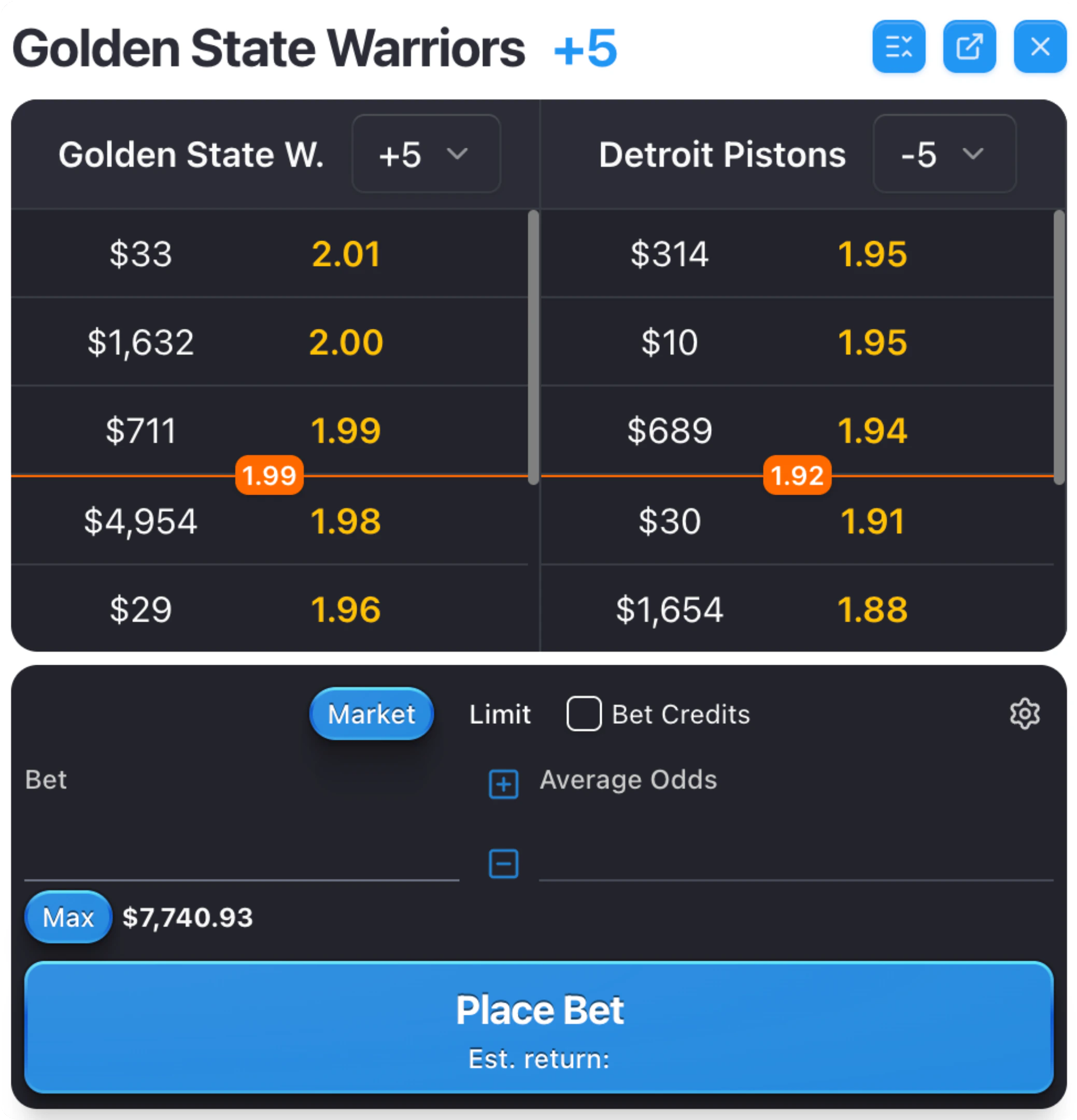
- Dollar amount — how much liquidity is available at that price
- Odds — the odds you would receive at that level
Changing Odds Format
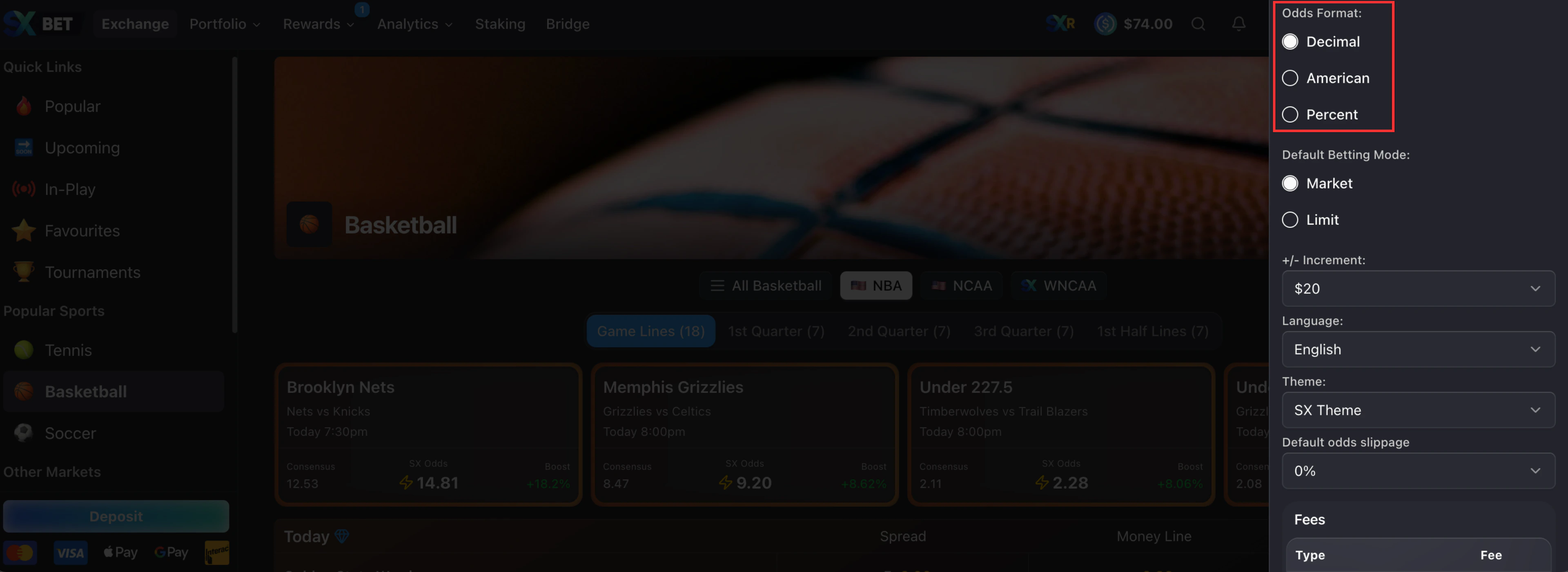
SX Bet supports decimal, American, and fractional odds. Your choice applies across the whole site.1
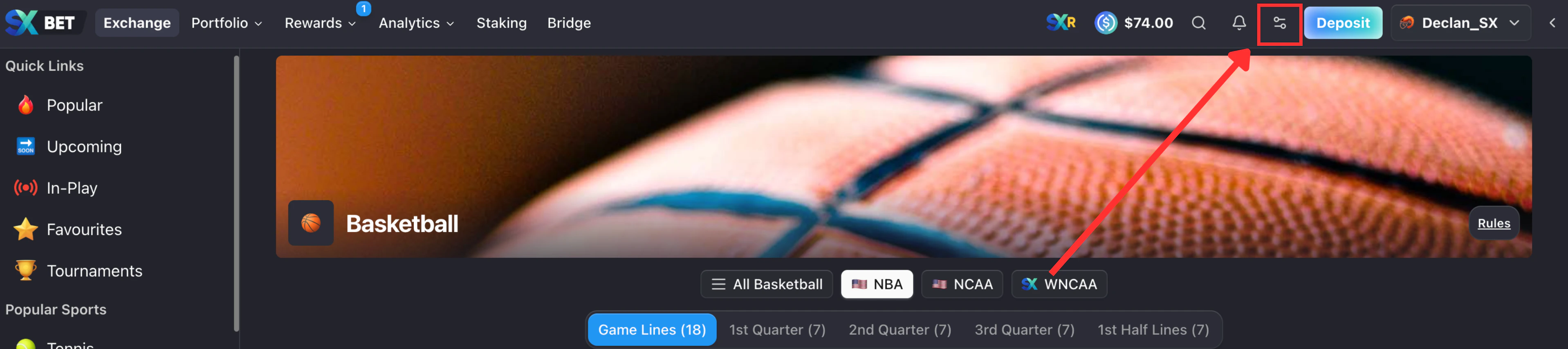
Click the settings icon in the navbar
2
Select your preferred odds format
The Consensus Line
The orange line across the order book marks the consensus line. It is the fair price for the market, based on activity across all books. It’s a reference point, not a hard limit. Orders above and below it are all available to bet into.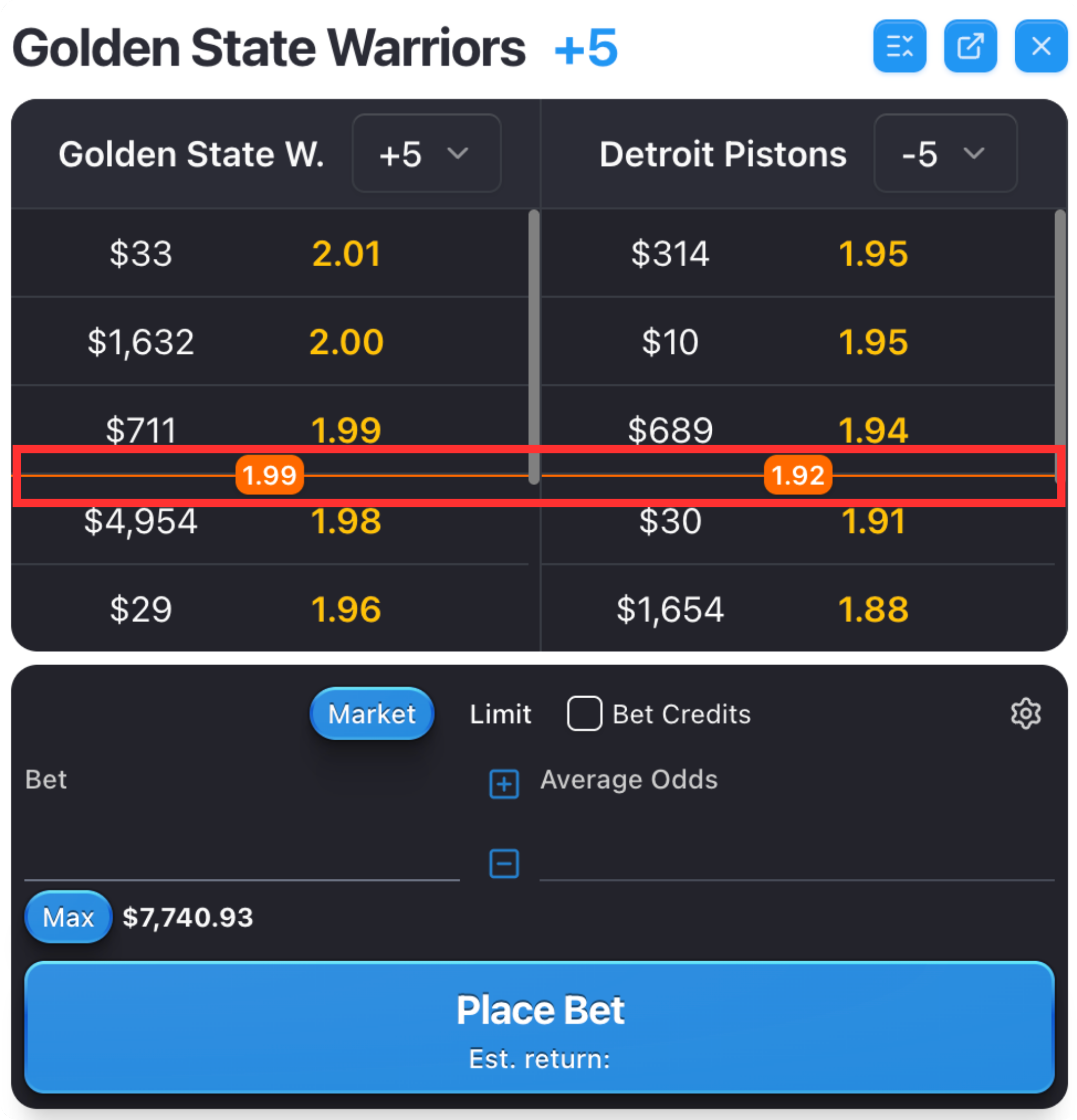
Placing a Bet
Click any odds in the order book to open the bet slip pre-filled at that price. If you bet more than what’s available at one price level, your order fills across several levels. Any remainder sits as an open limit order.How to Place a Market Order
Bet at the best available odds and get matched instantly.
How to Place a Limit Order
Request your own odds and wait for someone to fill your order.
Want to fetch odds for many markets through the SX Bet API?
Build on the SX Bet API to fetch odds programmatically. No API key needed.