
To withdraw through the native bridge, you must be using a browser-based wallet (e.g. MetaMask). If you signed up for SX Bet with email, you can import your email wallet to MetaMask. Follow the tutorial here to import your wallet to MetaMask.
- Transfer funds from your betting wallet into your EOA on the Account Page

- Go to the Arbitrum Native Bridge.
- Connect your wallet.
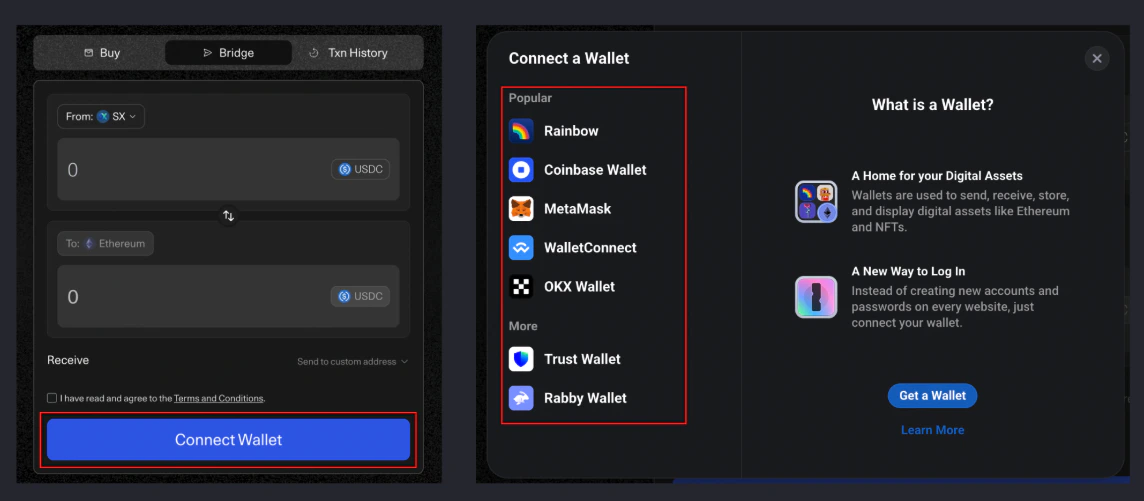
- Make sure you have some SX token in your wallet to cover network fees. If you don’t have any SX, you can get some from the faucet.
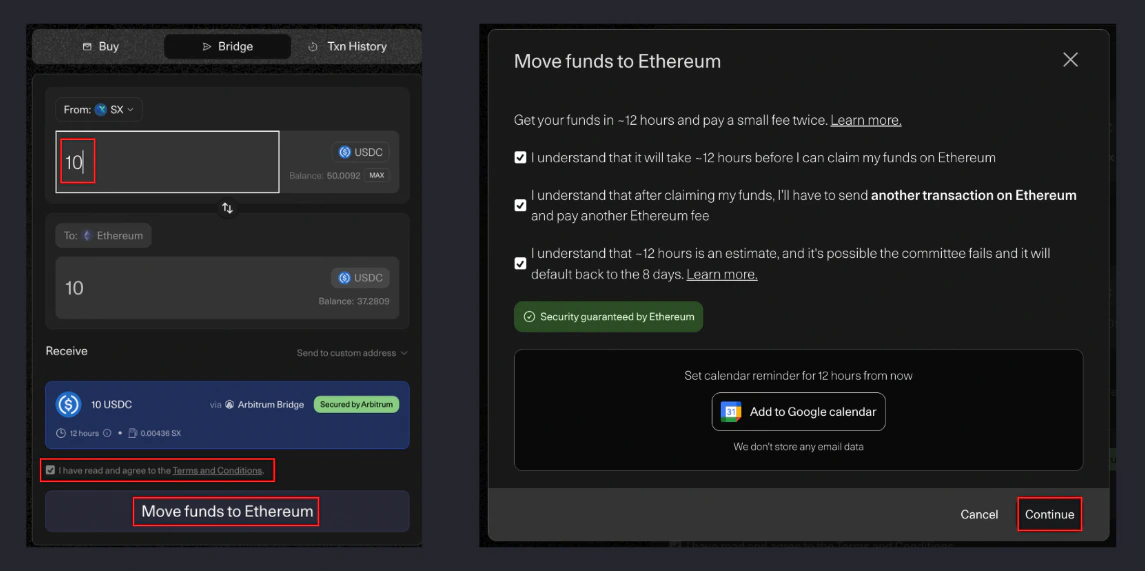
You may need to add USD Token manually to the bridge by selecting “Add Token”Contract Address: 0x6629Ce1Cf35Cc1329ebB4F63202F3f197b3F050B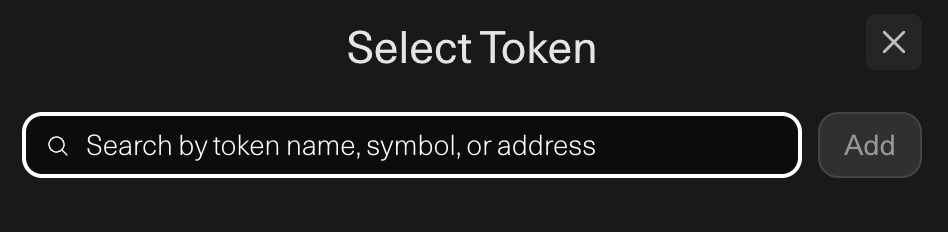
- Confirm the transaction in your wallet.
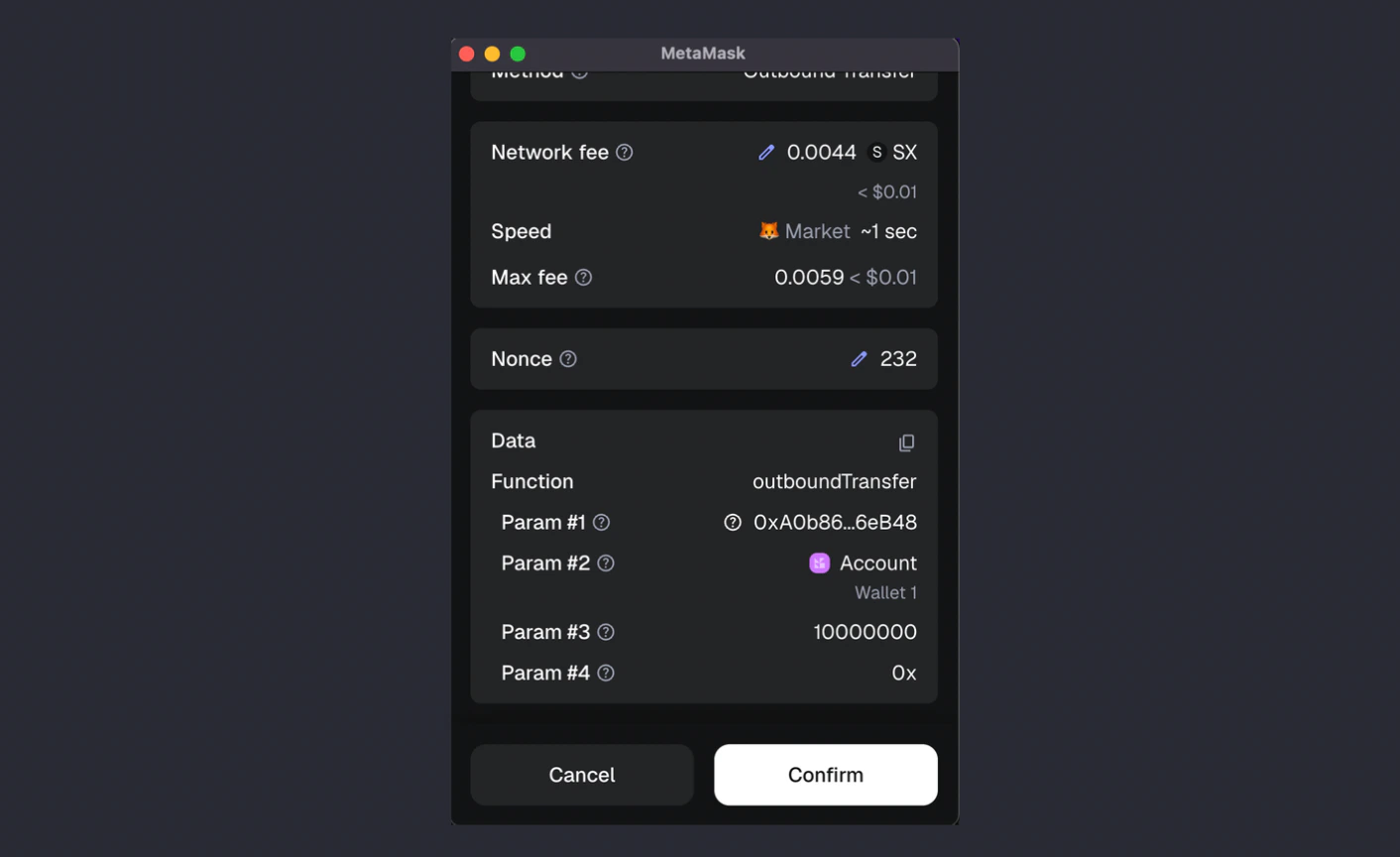
- Wait 12 hours for your transfer to complete. When the bridge is complete, you may claim it from the same page by clicking the green “Claim” button.
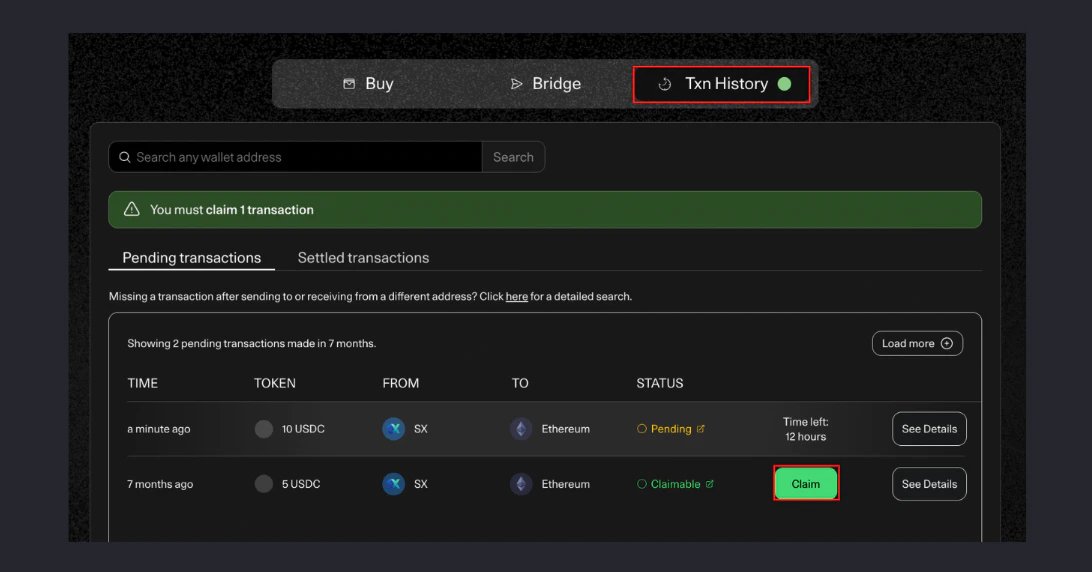
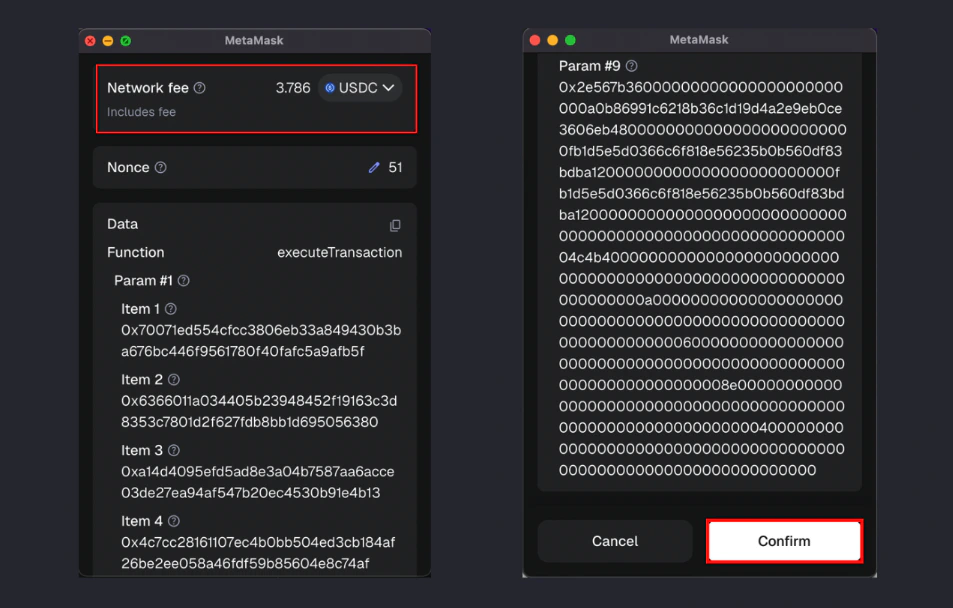
- Confirm the claim transaction in your wallet. You will need some ETH or USDC on Ethereum in your wallet to cover the network fee.
Deposit Crypto
Fund your wallet when you’re ready to bet again.
Fees
Learn about trading fees, gas fees, and bridging costs.