
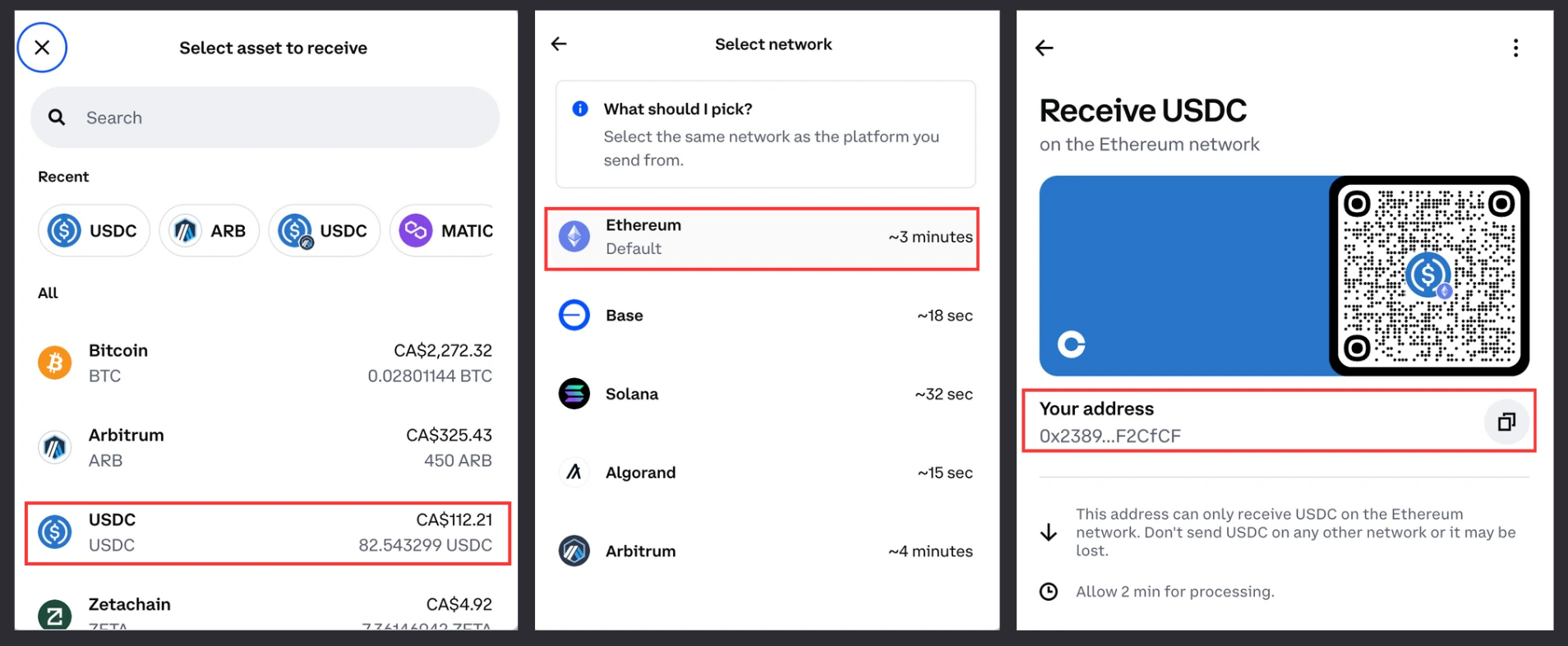
- Login to Coinbase and click “Receive Crypto” — select USDC, Base network, then copy your Coinbase address.
We’re using the Base blockchain in this example, though you can send your USDC using Ethereum, Arbitrum, Polygon, Optimism, or Base network.Make sure that the receiving address you copy from your exchange account matches the network you withdraw to (e.g. if you are using your Base USDC address on Coinbase, you need to withdraw your USDC to Base network).
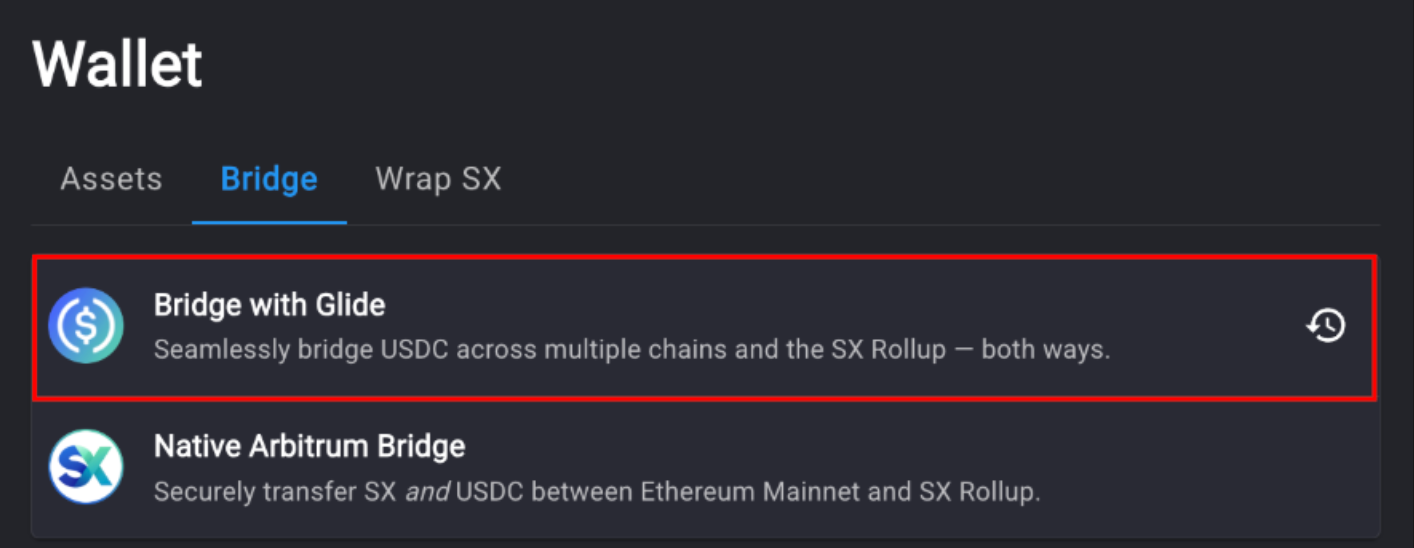
- Go to the Account Page on SX Bet, click on “Withdraw” and select “Wallet”
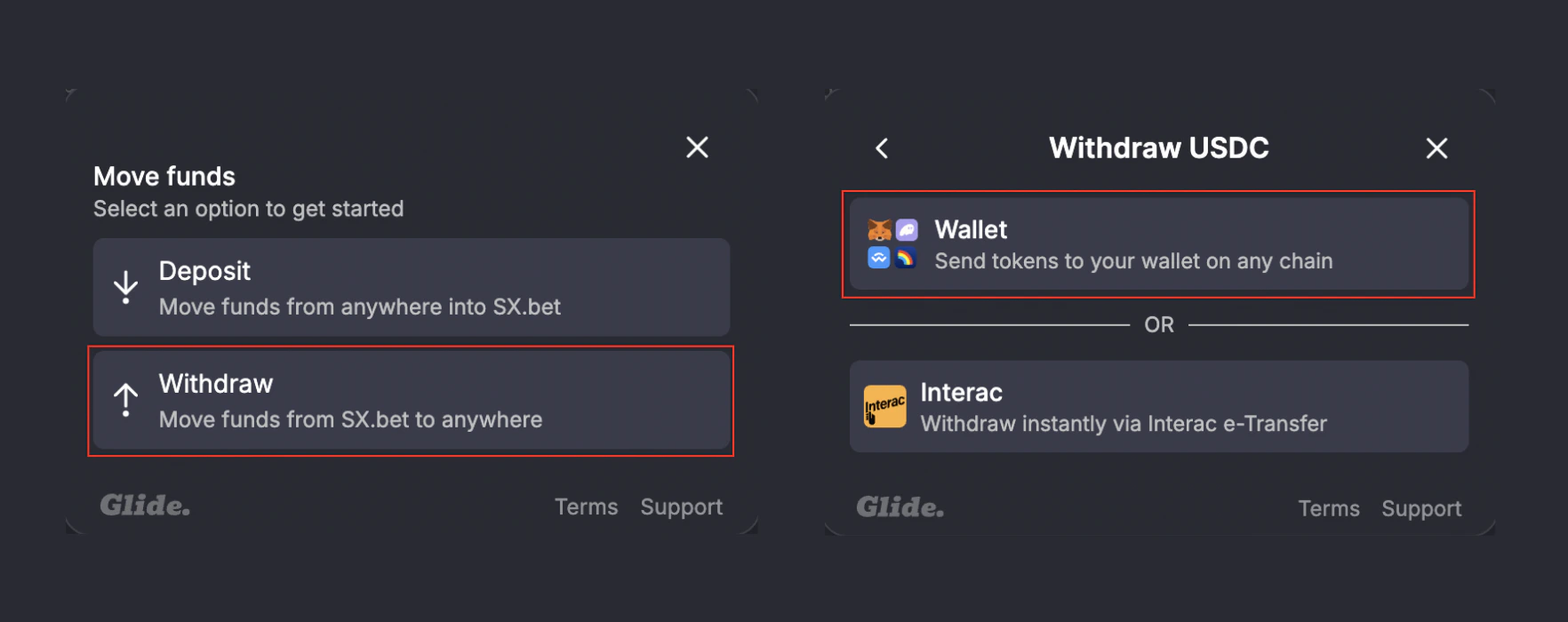
- Select “Withdraw”, then select “Wallet”.
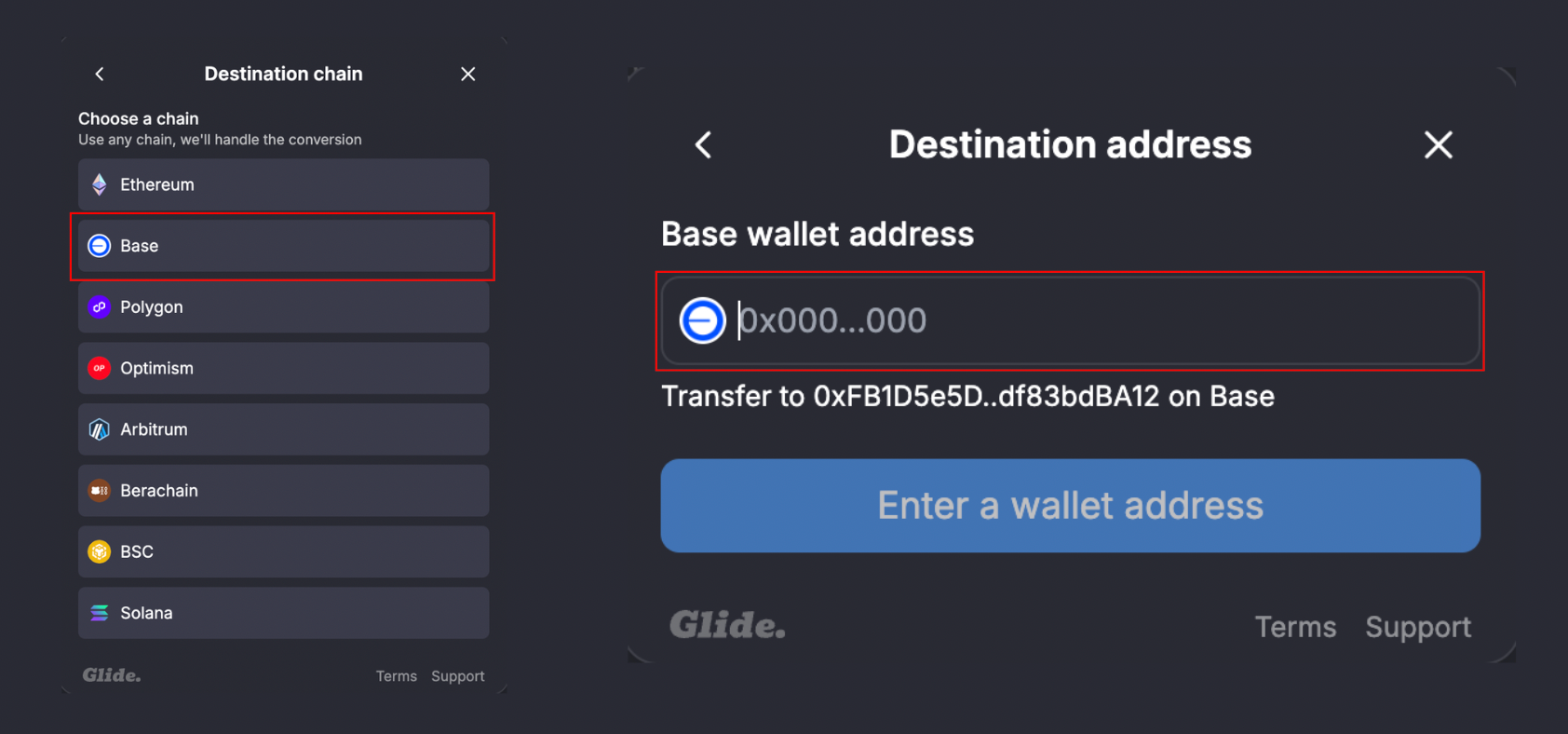
- Select Base as your withdrawal network, then paste in your Coinbase deposit address from step 1.
- Enter the amount of USDC you would like to withdraw, click “Continue”, then “Withdraw now”.
If you are using MetaMask/Rabby, you will need to confirm the transaction in your wallet.
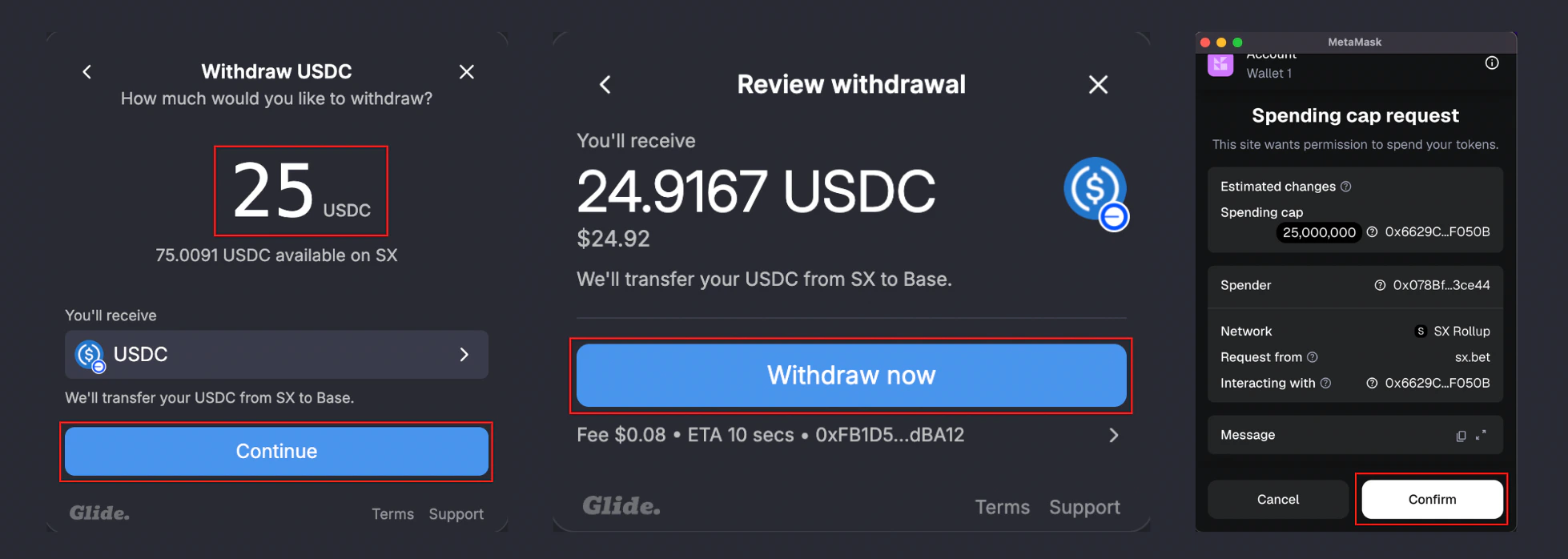
- Wait for the transaction to complete.
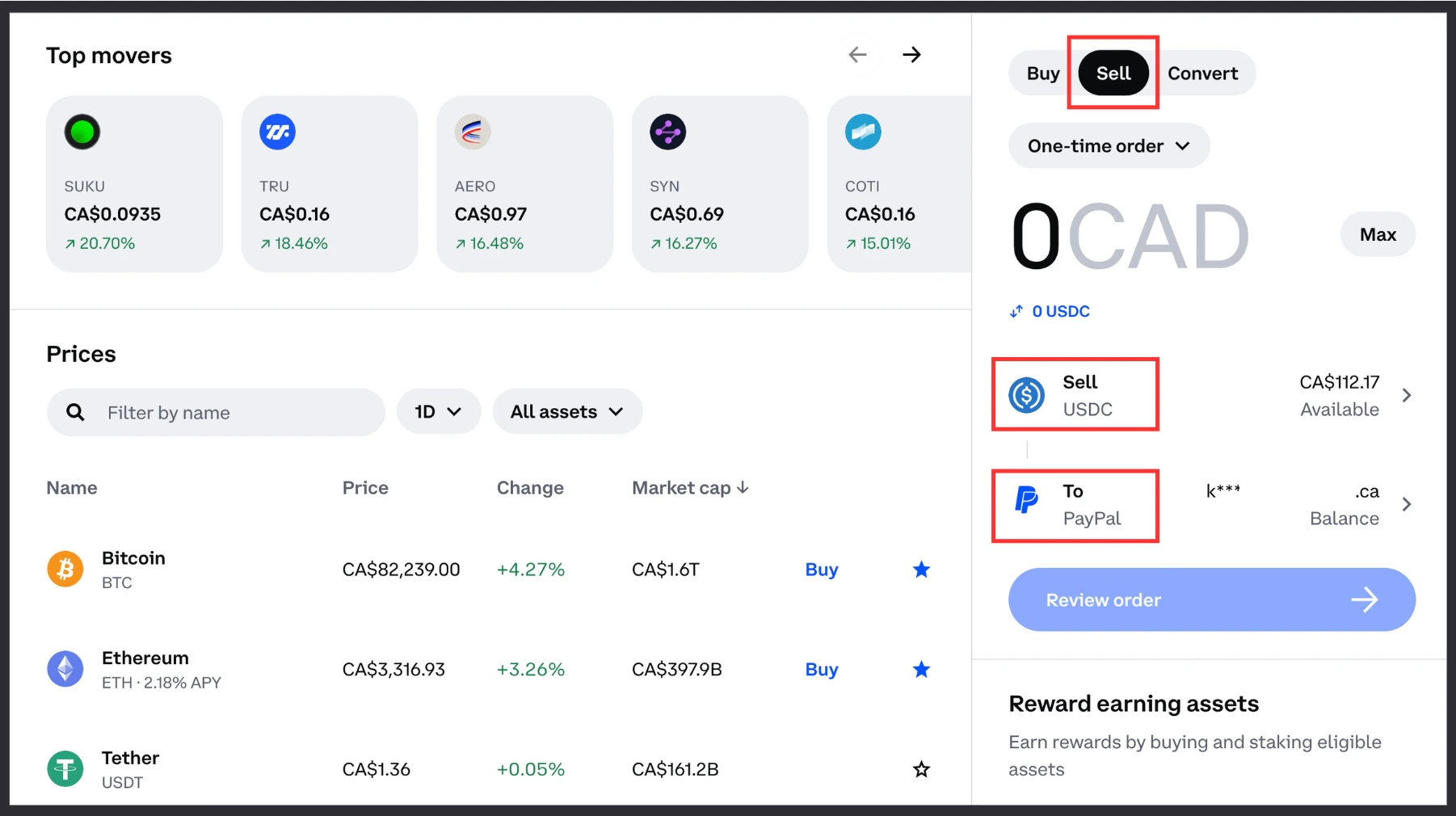
- Go back to your Coinbase account and click “Sell” — connect your PayPal account to receive your funds in fiat currency, then complete the transaction.
Deposit Crypto
Fund your wallet again when you’re ready to bet.
Maker Rewards
Earn USDC by providing liquidity on SX Bet markets.